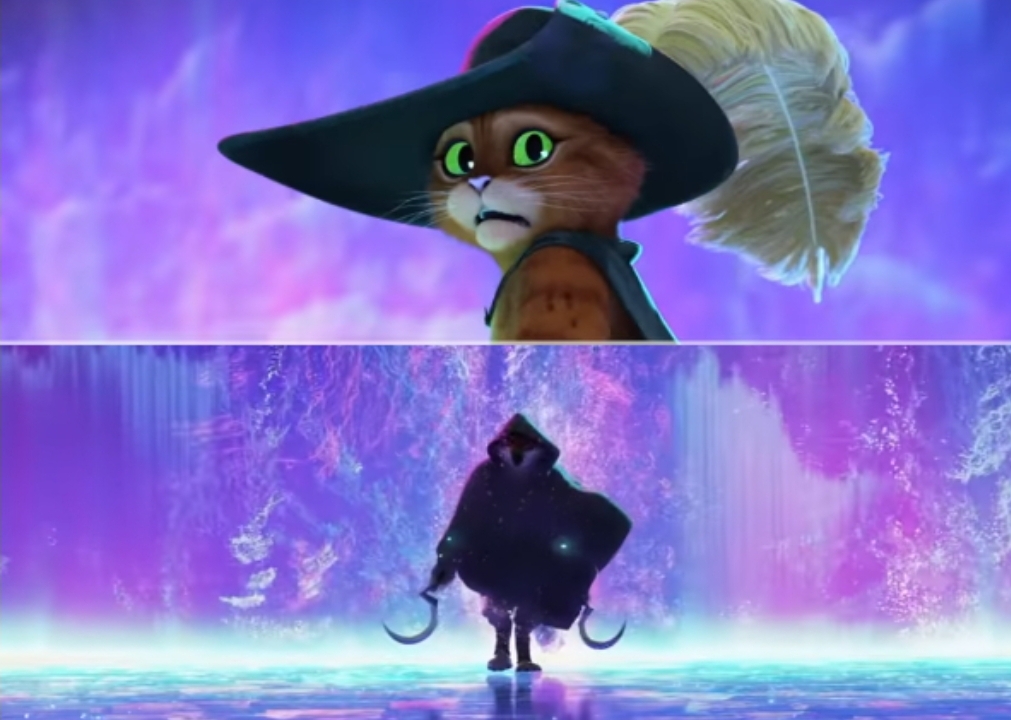
Caption the Puss and boots scared Meme Template
The Puss in Boots Scared template features the beloved cat from the Shrek franchise in a wide-eyed, maximally adorable but genuinely frightened expression, used to depict either genuine terror at something trivial or the disarming tactic of looking cute while being completely out of one's depth. It conveys vulnerable, relatable fear.
Caption this template- Category
- Reaction Face Meme Templates
- Size
- 1011 x 720 px
- Format
- Image
- Price
- Free, no sign up
Where the Puss and boots scared meme comes from
Puss in Boots, voiced by Antonio Banderas, is a character from the Shrek franchise who first appeared in Shrek 2 (2004). The specific scared expression - Large, glassy eyes - Became an iconic image from the films and was widely circulated as a reaction image representing overwhelming situations or unexpected dread.
How to caption the Puss and boots scared meme
Use the scared face to react to something that sounds terrifying in context but is actually mundane, like a Monday morning or a social interaction. Alternatively, label the face as yourself reacting to a minor inconvenience that your brain is treating as a life-threatening catastrophe. Open it in the meme generator, or read the reaction meme guide for more.
Puss and boots scared caption ideas
Need a starting point? Try one of these on the Puss and boots scared template, then make it your own in the meme generator.
- When the dentist says "this might pinch a little"
- Me realizing the meeting could have been an email but I still have to attend
- When my mom uses my full government name
- Hearing my coworker say "quick question" at 4:58 on a Friday
- When the waiter brings the bill and everyone goes quiet
Best uses for the Puss and boots scared template
Use the Puss and boots scared template when the joke fits a reaction face format and the image can explain the feeling before the reader finishes the caption. It is strongest for reaction memes, group chat replies, and quick emotional punchlines.
This blank is 1011 x 720 px and is a still image, so place the most important words where they stay readable after a feed crop. The wide frame works best when the caption stays centered so timeline crops do not cut off the joke.
The sample captions leave room for a setup and a punchline without turning into a paragraph. Before exporting, read the caption once without looking at the image; if it still needs a long explanation, switch to a simpler setup or a more obvious related template.
Caption patterns to try
| Pattern | Why it works |
|---|---|
| When the dentist says "this might pinch a little" | This works because it gives the reader a specific situation instead of a vague label. |
| Me realizing the meeting could have been an email but I still have to attend | This pattern keeps the setup concrete, which helps the template carry the reaction. |
| When my mom uses my full government name | This is a useful direction when you want the punchline to feel personal or self-aware. |
Common mistakes with this blank
- Writing a caption that explains the whole joke instead of letting the Puss and boots scared image do part of the work.
- Placing text over the most expressive part of the image, especially faces, gestures, signs, or the main action.
- Using three different ideas in one meme. This template works better when it points at one clear situation.
- Exporting before checking the meme at phone size. If the smallest words blur together, shorten the caption first.