Caption the Roblox Ban Meme Template
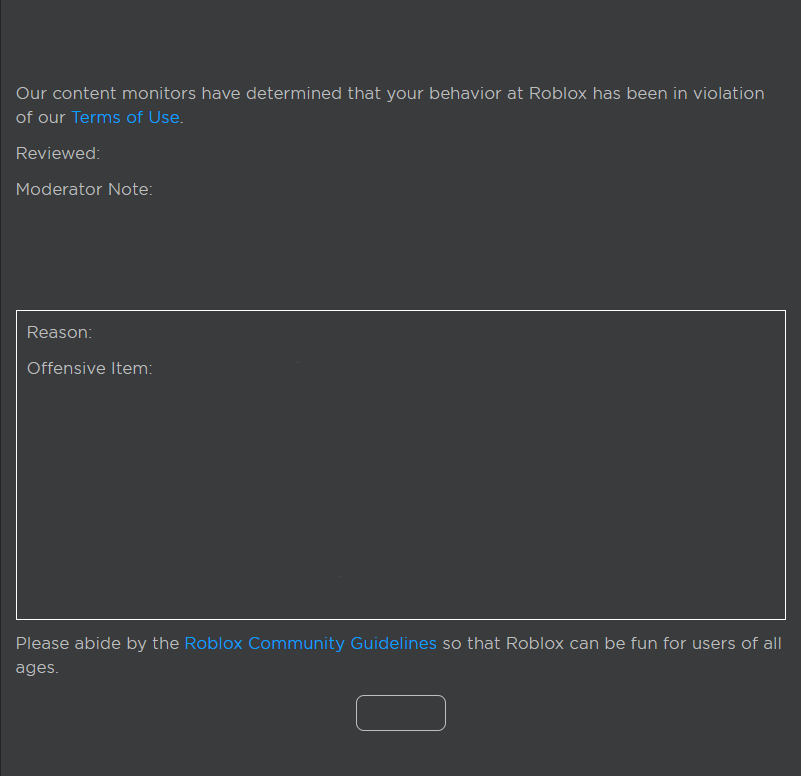
The Roblox Ban meme uses the imagery or context of being banned from the popular online game platform Roblox to represent any situation involving being kicked out of, blocked from, or denied access to something, often for a disproportionately minor infraction. It resonates particularly with younger audiences and those who remember childhood experiences with Roblox moderation, and is used to mock overly strict rule enforcement in any context. The format captures the specific sting of a ban that feels unjust.
Caption this template- Category
- Anime and Gaming Meme Templates
- Size
- 801 x 776 px
- Format
- Image
- Price
- Free, no sign up
Where the Roblox Ban meme comes from
Roblox is an online game platform and game creation system launched in 2006, which became enormously popular with children and teenagers through the 2010s and into the 2020s. The platform's moderation system and ban notifications became familiar cultural touchstones for an entire generation of players, and screenshots of ban messages or accounts being terminated spread as memes on platforms including Reddit and Twitter. The meme format leverages nostalgia and the universal experience of being punished for something that felt unfair.
How to caption the Roblox Ban meme
Use a mock Roblox ban notification format and fill in the 'reason' field with something absurdly minor (e.g., 'saying the word "homework"') to exaggerate how strict the moderation is. Alternatively, apply the Roblox ban aesthetic to a real-life situation where you have been excluded or penalized for a trivial reason to dramatize how disproportionate it felt. Open it in the meme generator, or read the gaming meme guide for more.
Roblox Ban caption ideas
Need a starting point? Try one of these on the Roblox Ban template, then make it your own in the meme generator.
- BANNED. Reason: saying 'good morning' before the manager finished his coffee
- BANNED. Reason: asking what the meeting was about in a meeting about meetings
- BANNED. Reason: using the last name in the group project but forgetting to mute
- BANNED. Reason: replying-all 'thanks' to a company-wide email
- BANNED. Reason: bringing up the gym to someone who hasn't gone since January
Best uses for the Roblox Ban template
Use the Roblox Ban template when the joke fits a anime and gaming format and the image can explain the feeling before the reader finishes the caption. It is strongest for fandom jokes, gaming sessions, and high-energy reactions.
This blank is 801 x 776 px and is a still image, so place the most important words where they stay readable after a feed crop. The near-square frame is flexible for feeds, group chats, Reddit, and Discord.
The sample captions leave room for a setup and a punchline without turning into a paragraph. Before exporting, read the caption once without looking at the image; if it still needs a long explanation, switch to a simpler setup or a more obvious related template.
Caption patterns to try
| Pattern | Why it works |
|---|---|
| BANNED. Reason: saying 'good morning' before the manager finished his coffee | This works because it gives the reader a specific situation instead of a vague label. |
| BANNED. Reason: asking what the meeting was about in a meeting about meetings | This pattern keeps the setup concrete, which helps the template carry the reaction. |
| BANNED. Reason: using the last name in the group project but forgetting to mute | This is a useful direction when you want the punchline to feel personal or self-aware. |
Common mistakes with this blank
- Writing a caption that explains the whole joke instead of letting the Roblox Ban image do part of the work.
- Placing text over the most expressive part of the image, especially faces, gestures, signs, or the main action.
- Using three different ideas in one meme. This template works better when it points at one clear situation.
- Exporting before checking the meme at phone size. If the smallest words blur together, shorten the caption first.