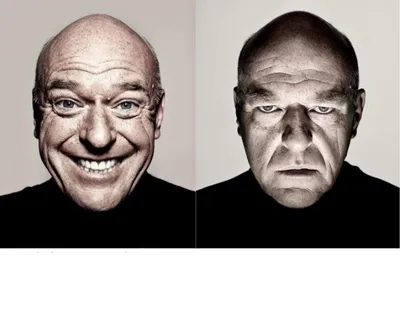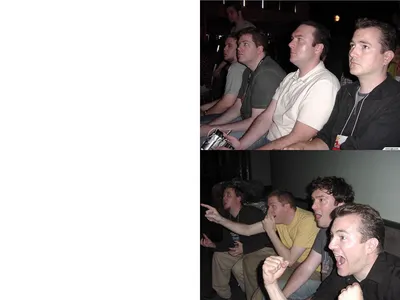
Caption the Spongebob Panic Inside Meme Template
Featuring SpongeBob SquarePants composed or normal on the outside while a visible internal panic - Often a screaming or frantic inner SpongeBob - Rages inside him, this template captures the experience of maintaining a calm exterior while internally falling apart. It resonates strongly in contexts involving social anxiety, professional situations, and adult responsibilities. The split between outer calm and inner chaos is the visual and emotional core.
Caption this template- Category
- Reaction Face Meme Templates
- Size
- 480 x 382 px
- Format
- Image
- Price
- Free, no sign up
Where the Spongebob Panic Inside meme comes from
From the SpongeBob SquarePants animated series, created by Stephen Hillenburg and airing on Nickelodeon since 1999, comes the image. Multiple episodes have used the specific stylistic choice of showing an internal state separately from an external one. As one of the most prolific sources of meme templates since the early 2010s, SpongeBob gave rise to this particular format, which gained popularity alongside mental health humor on social media.
How to caption the Spongebob Panic Inside meme
Caption the outer SpongeBob with the composed, professional thing you are saying or doing in public, and caption the inner panicking SpongeBob with the spiral of catastrophizing thoughts happening simultaneously. You can also use it to contrast what someone is posting on social media versus the actual state of their life behind the screen. Open it in the meme generator, or read the reaction meme guide for more.
Spongebob Panic Inside caption ideas
Need a starting point? Try one of these on the Spongebob Panic Inside template, then make it your own in the meme generator.
- Outside: 'Yeah, I totally remember you!' / Inside: frantically scanning for any name at all
- Outside: 'No worries, take your time' / Inside: the deadline is in nine minutes
- Outside: 'Sounds great, happy to help!' / Inside: I have absolutely no idea how to do this
- Outside: 'I'm doing fine, thanks for asking' / Inside: a tornado of unread emails and unpaid bills
- Outside: calmly presenting the slides / Inside: I skipped slide 12 and slide 12 was the whole point
Best uses for the Spongebob Panic Inside template
Use the Spongebob Panic Inside template when the joke fits a reaction face format and the image can explain the feeling before the reader finishes the caption. It is strongest for reaction memes, group chat replies, and quick emotional punchlines.
This blank is 480 x 382 px and is a still image, so place the most important words where they stay readable after a feed crop. The wide frame works best when the caption stays centered so timeline crops do not cut off the joke.
The sample captions are more detailed, so trim aggressively before posting on small screens. Before exporting, read the caption once without looking at the image; if it still needs a long explanation, switch to a simpler setup or a more obvious related template.
Caption patterns to try
| Pattern | Why it works |
|---|---|
| Outside: 'Yeah, I totally remember you!' / Inside: frantically scanning for any name at all | This works because it gives the reader a specific situation instead of a vague label. |
| Outside: 'No worries, take your time' / Inside: the deadline is in nine minutes | This pattern keeps the setup concrete, which helps the template carry the reaction. |
| Outside: 'Sounds great, happy to help!' / Inside: I have absolutely no idea how to do this | This is a useful direction when you want the punchline to feel personal or self-aware. |
Common mistakes with this blank
- Writing a caption that explains the whole joke instead of letting the Spongebob Panic Inside image do part of the work.
- Placing text over the most expressive part of the image, especially faces, gestures, signs, or the main action.
- Using three different ideas in one meme. This template works better when it points at one clear situation.
- Exporting before checking the meme at phone size. If the smallest words blur together, shorten the caption first.