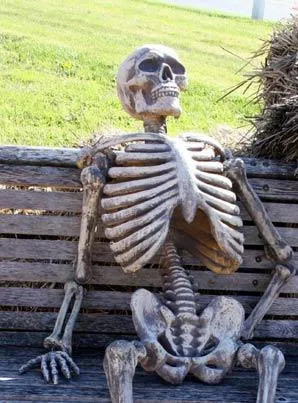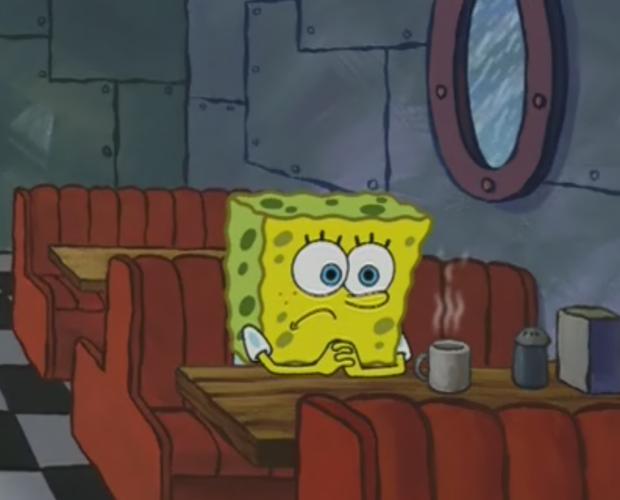
Caption the Spongebob Waiting Meme Template
SpongeBob SquarePants sits patiently with a neutral or expectant expression in this template, used to represent waiting for something that is long overdue or unlikely to arrive. It conveys the exhaustion of anticipation without dramatic flair.
Caption this template- Category
- Reaction Face Meme Templates
- Size
- 620 x 500 px
- Format
- Image
- Price
- Free, no sign up
Where the Spongebob Waiting meme comes from
The image is drawn from SpongeBob SquarePants, the Nickelodeon animated series that began in 1999. The specific waiting pose has been extracted and used as a standalone reaction image, gaining traction across social media platforms in the 2010s.
How to caption the Spongebob Waiting meme
Put what you are waiting for in the top text, then reference how much time has passed or how futile the wait is below. You can also label SpongeBob as yourself and describe the interminable wait for something everyone promises is coming soon. Open it in the meme generator, or read the reaction meme guide for more.
Spongebob Waiting caption ideas
Need a starting point? Try one of these on the Spongebob Waiting template, then make it your own in the meme generator.
- Top: Waiting for the 'we'll circle back on this' from last quarter's meeting. / Below: It has been four months.
- Top: Me waiting for my friend who said 'omw' / Below: That was an hour and a forgotten shower ago.
- Top: Waiting for the feature the app has promised 'coming soon' / Below: Since the 2023 update.
- Top: Me waiting for the 'I'll Venmo you back' / Below: We split that pizza in March.
- Top: Waiting for motivation to start the project due tomorrow / Below: It is now tomorrow.
Best uses for the Spongebob Waiting template
Use the Spongebob Waiting template when the joke fits a reaction face format and the image can explain the feeling before the reader finishes the caption. It is strongest for reaction memes, group chat replies, and quick emotional punchlines.
This blank is 620 x 500 px and is a still image, so place the most important words where they stay readable after a feed crop. The wide frame works best when the caption stays centered so timeline crops do not cut off the joke.
The sample captions are more detailed, so trim aggressively before posting on small screens. Before exporting, read the caption once without looking at the image; if it still needs a long explanation, switch to a simpler setup or a more obvious related template.
Caption patterns to try
| Pattern | Why it works |
|---|---|
| Top: Waiting for the 'we'll circle back on this' from last quarter's meeting. / Below: It has been four months. | This works because it gives the reader a specific situation instead of a vague label. |
| Top: Me waiting for my friend who said 'omw' / Below: That was an hour and a forgotten shower ago. | This pattern keeps the setup concrete, which helps the template carry the reaction. |
| Top: Waiting for the feature the app has promised 'coming soon' / Below: Since the 2023 update. | This is a useful direction when you want the punchline to feel personal or self-aware. |
Common mistakes with this blank
- Writing a caption that explains the whole joke instead of letting the Spongebob Waiting image do part of the work.
- Placing text over the most expressive part of the image, especially faces, gestures, signs, or the main action.
- Using three different ideas in one meme. This template works better when it points at one clear situation.
- Exporting before checking the meme at phone size. If the smallest words blur together, shorten the caption first.