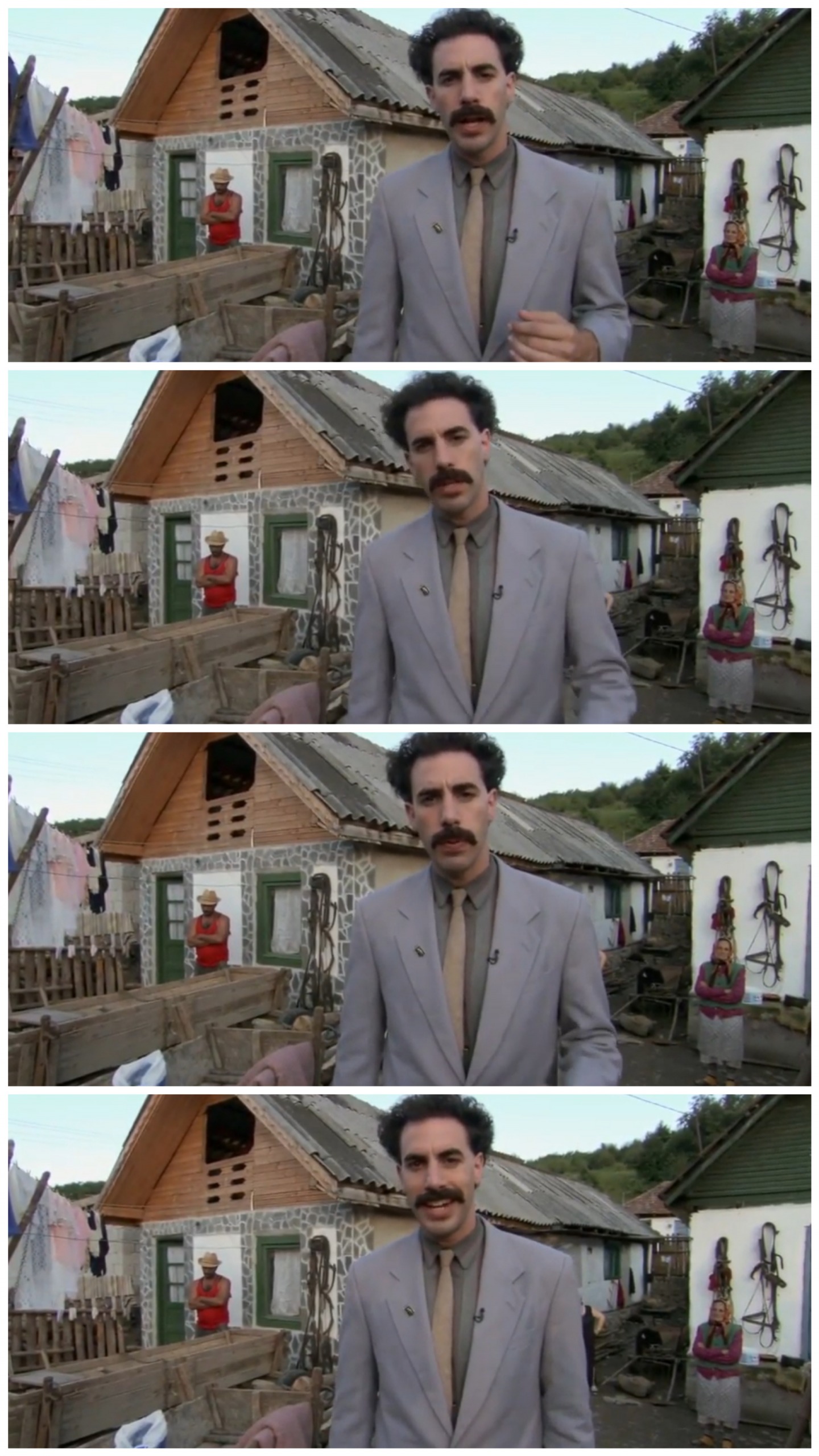
Caption the Borat neighbour Meme Template
Featuring Borat Sagdiyev, the fictional Kazakh journalist played by Sacha Baron Cohen, interacting with or observing a neighbor, this template captions situations involving cultural misunderstandings, inappropriate social oversteps, or the specific discomfort of a neighbor who does not understand any of the usual social boundaries. The character's oblivious sincerity makes him a useful vehicle for depicting accidental social chaos. It can also represent yourself as the person who does not realize they are the problem.
Caption this template- Category
- Situation Meme Templates
- Size
- 1440 x 2561 px
- Format
- Image
- Price
- Free, no sign up
Where the Borat neighbour meme comes from
Borat is a character created by British comedian Sacha Baron Cohen, who first appeared in the UK television series Da Ali G Show before starring in the 2006 mockumentary film Borat: Cultural Learnings of America for Make Benefit Glorious Nation of Kazakhstan. The neighbor dynamic is a recurring element in the character's interactions, where his cheerful disregard for norms creates escalating awkwardness. The film's enormous cultural impact made Borat one of the most recognizable meme characters of the 2000s.
How to caption the Borat neighbour meme
Caption the template with a situation where you or someone else has done something that seemed perfectly friendly and normal from the inside but was a complete social catastrophe from any outside perspective. You can also use it to represent a neighbor or coworker who provides unsolicited life updates at every opportunity and cannot read the room under any circumstances. Open it in the meme generator, or read how to make relatable memes for more.
Borat neighbour caption ideas
Need a starting point? Try one of these on the Borat neighbour template, then make it your own in the meme generator.
- Me, very happily showing my new neighbor a 45-minute slideshow of my weekend: 'You will love, is great success'
- Borat energy: replying to the building group chat with my full life story when someone asked about recycling day
- When you wave at a stranger thinking you knew them and then commit to a 10-minute conversation anyway
- Me cheerfully telling my coworker every detail of my medical appointment: 'Very nice, how much?'
- The neighbor who returns your hello with an unsolicited update on his divorce, every single morning
Best uses for the Borat neighbour template
Use the Borat neighbour template when the joke fits a situation format and the image can explain the feeling before the reader finishes the caption. It is strongest for relatable everyday moments, before-and-after jokes, and social observations.
This blank is 1440 x 2561 px and is a still image, so place the most important words where they stay readable after a feed crop. The tall frame gives you room for a short setup near the top and a payoff below the main subject.
The sample captions are more detailed, so trim aggressively before posting on small screens. Before exporting, read the caption once without looking at the image; if it still needs a long explanation, switch to a simpler setup or a more obvious related template.
Caption patterns to try
| Pattern | Why it works |
|---|---|
| Me, very happily showing my new neighbor a 45-minute slideshow of my weekend: 'You will love, is great success' | This works because it gives the reader a specific situation instead of a vague label. |
| Borat energy: replying to the building group chat with my full life story when someone asked about recycling day | This pattern keeps the setup concrete, which helps the template carry the reaction. |
| When you wave at a stranger thinking you knew them and then commit to a 10-minute conversation anyway | This is a useful direction when you want the punchline to feel personal or self-aware. |
Common mistakes with this blank
- Writing a caption that explains the whole joke instead of letting the Borat neighbour image do part of the work.
- Placing text over the most expressive part of the image, especially faces, gestures, signs, or the main action.
- Using three different ideas in one meme. This template works better when it points at one clear situation.
- Exporting before checking the meme at phone size. If the smallest words blur together, shorten the caption first.