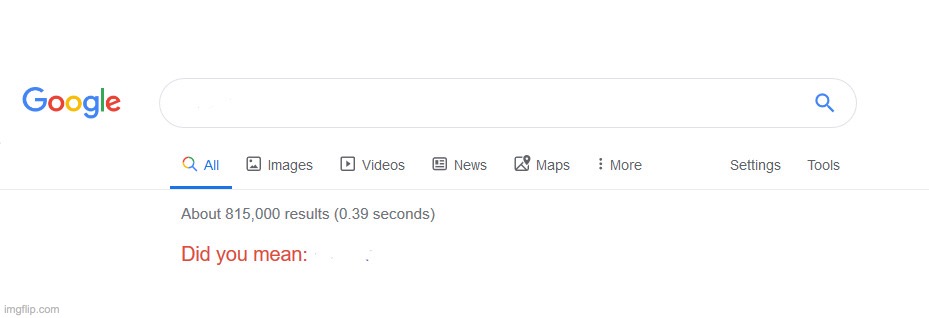
Caption the Did you mean? Meme Template
A template mimicking Google's 'Did you mean?' search suggestion interface, used to sarcastically imply that what someone said or did is a poor substitute for something obviously better. It functions as a condescending correction format.
Caption this template- Category
- Situation Meme Templates
- Size
- 929 x 318 px
- Format
- Image
- Price
- Free, no sign up
Where the Did you mean? meme comes from
The format is derived from the familiar autocorrect or spelling-suggestion feature on Google Search, which prompts users when their query might be a misspelling. Meme creators began screenshotting or recreating this UI element to make ironic substitutions.
How to caption the Did you mean? meme
Put the flawed or inferior thing in the 'searched for' field and the obviously superior or more honest version in the 'Did you mean' suggestion. For example, label someone's bad excuse in the search box and replace it with the true reason in the suggestion field. Open it in the meme generator, or read how to make relatable memes for more.
Did you mean? caption ideas
Need a starting point? Try one of these on the Did you mean? template, then make it your own in the meme generator.
- Searched: 'I'm not mad' / Did you mean: 'I'm extremely mad'
- Searched: 'self-care day' / Did you mean: 'avoiding my responsibilities'
- Searched: 'networking event' / Did you mean: 'standing alone holding a drink'
- Searched: 'I'll do it later' / Did you mean: 'I will never do it'
- Searched: 'quick gym session' / Did you mean: 'one set then the smoothie bar'
Best uses for the Did you mean? template
Use the Did you mean? template when the joke fits a situation format and the image can explain the feeling before the reader finishes the caption. It is strongest for relatable everyday moments, before-and-after jokes, and social observations.
This blank is 929 x 318 px and is a still image, so place the most important words where they stay readable after a feed crop. The wide frame works best when the caption stays centered so timeline crops do not cut off the joke.
The sample captions leave room for a setup and a punchline without turning into a paragraph. Before exporting, read the caption once without looking at the image; if it still needs a long explanation, switch to a simpler setup or a more obvious related template.
Caption patterns to try
| Pattern | Why it works |
|---|---|
| Searched: 'I'm not mad' / Did you mean: 'I'm extremely mad' | This works because it gives the reader a specific situation instead of a vague label. |
| Searched: 'self-care day' / Did you mean: 'avoiding my responsibilities' | This pattern keeps the setup concrete, which helps the template carry the reaction. |
| Searched: 'networking event' / Did you mean: 'standing alone holding a drink' | This is a useful direction when you want the punchline to feel personal or self-aware. |
Common mistakes with this blank
- Writing a caption that explains the whole joke instead of letting the Did you mean? image do part of the work.
- Placing text over the most expressive part of the image, especially faces, gestures, signs, or the main action.
- Using three different ideas in one meme. This template works better when it points at one clear situation.
- Exporting before checking the meme at phone size. If the smallest words blur together, shorten the caption first.