Caption the Family Guy Peter Meme Template
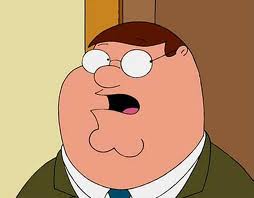
Family Guy Peter is a reaction image macro featuring Peter Griffin, the main character from the animated sitcom Family Guy, in various expressive screenshots used to react to absurd, stupid, or frustrating situations. The format draws on Peter's character as a lovably oblivious, dim-witted everyman to comment on everyday foolishness. Different screenshots from the show are used depending on whether the intended mood is confusion, smugness, pain, or triumph.
Caption this template- Category
- People and Face Meme Templates
- Size
- 254 x 198 px
- Format
- Image
- Price
- Free, no sign up
Where the Family Guy Peter meme comes from
Family Guy is an animated sitcom created by Seth MacFarlane that premiered on Fox in 1999. Peter Griffin became a widely used meme subject throughout the 2010s due to the show's broad cultural reach and the expressiveness of the character's animation. Multiple scenes and screenshots have become individual meme templates in their own right.
How to caption the Family Guy Peter meme
Match the specific Peter Griffin screenshot you are using to the emotional register of your caption. For the pained knee-clutching scene, describe something that hurts to witness. For a smug Peter, caption a situation where someone feels unearned confidence. Open it in the meme generator, or read how to make relatable memes for more.
Family Guy Peter caption ideas
Need a starting point? Try one of these on the Family Guy Peter template, then make it your own in the meme generator.
- Top: When you stub your toe on the bed frame / Bottom: and grab your knee while screaming
- Top: When you confidently answer in the meeting / Bottom: and you're completely wrong but commit anyway
- Top: When someone explains crypto to you again / Bottom: 'so it's like... money that isn't money?'
- Top: When you finally understand the joke / Bottom: ten minutes after everyone stopped laughing
- Top: When the doctor presses where it hurts / Bottom: 'ahh, freakin', ahh'
Best uses for the Family Guy Peter template
Use the Family Guy Peter template when the joke fits a people and face format and the image can explain the feeling before the reader finishes the caption. It is strongest for expressions, awkward moments, and character-driven jokes.
This blank is 254 x 198 px and is a still image, so place the most important words where they stay readable after a feed crop. The wide frame works best when the caption stays centered so timeline crops do not cut off the joke.
The sample captions leave room for a setup and a punchline without turning into a paragraph. Before exporting, read the caption once without looking at the image; if it still needs a long explanation, switch to a simpler setup or a more obvious related template.
Caption patterns to try
| Pattern | Why it works |
|---|---|
| Top: When you stub your toe on the bed frame / Bottom: and grab your knee while screaming | This works because it gives the reader a specific situation instead of a vague label. |
| Top: When you confidently answer in the meeting / Bottom: and you're completely wrong but commit anyway | This pattern keeps the setup concrete, which helps the template carry the reaction. |
| Top: When someone explains crypto to you again / Bottom: 'so it's like... money that isn't money?' | This is a useful direction when you want the punchline to feel personal or self-aware. |
Common mistakes with this blank
- Writing a caption that explains the whole joke instead of letting the Family Guy Peter image do part of the work.
- Placing text over the most expressive part of the image, especially faces, gestures, signs, or the main action.
- Using three different ideas in one meme. This template works better when it points at one clear situation.
- Exporting before checking the meme at phone size. If the smallest words blur together, shorten the caption first.