Caption the Farquaad Pointing Meme Template
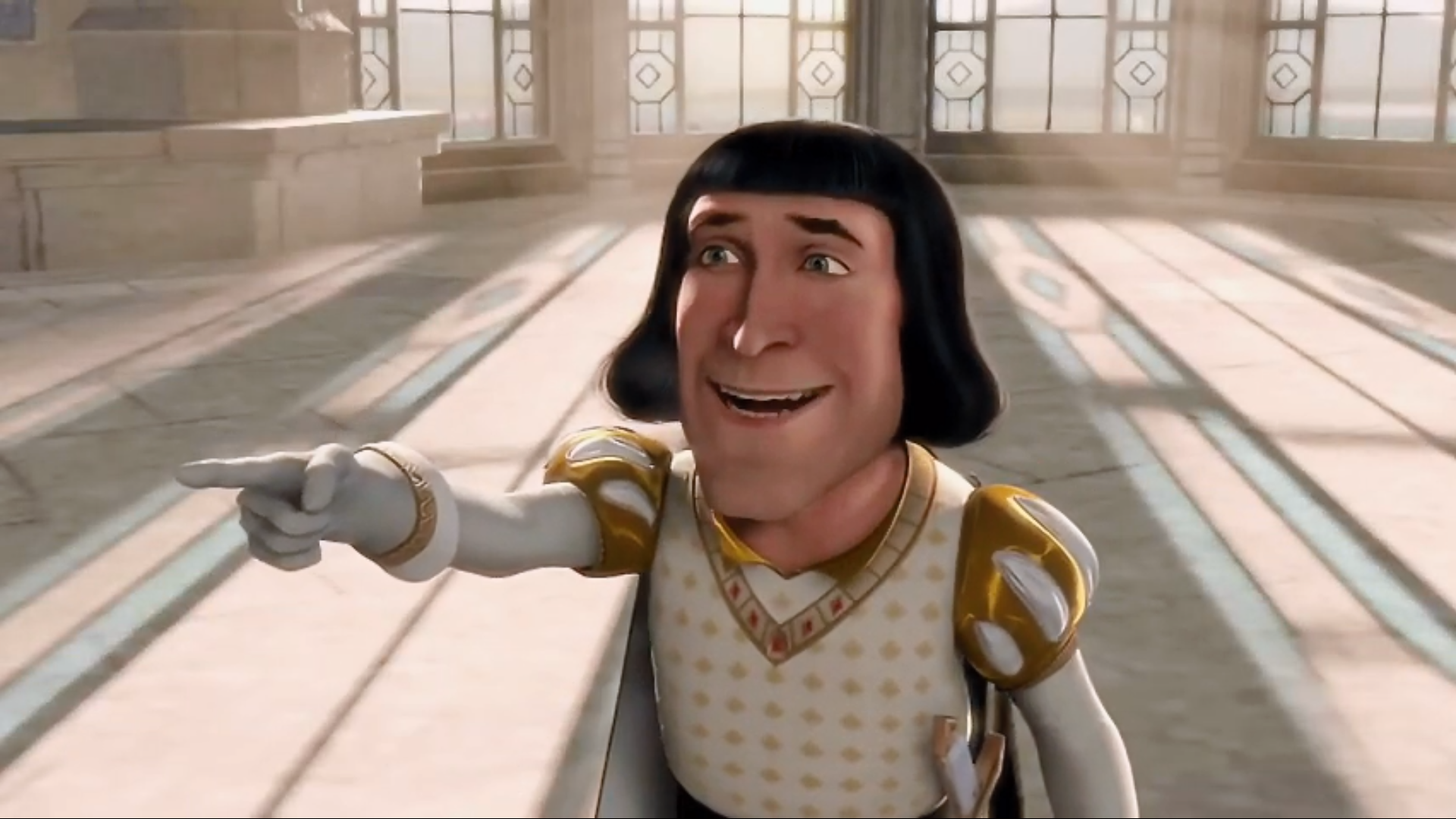
Lord Farquaad from the 2001 DreamWorks animated film Shrek points with an air of smug certainty, singling something out for mockery, accusation, or identification. People reach for it to point at something and brand it the problem, the culprit, or the perfect specimen of whatever the caption describes. The character's imperious sneer lends the gesture an especially condescending air.
Caption this template- Category
- Reaction Face Meme Templates
- Size
- 1920 x 1080 px
- Format
- Image
- Price
- Free, no sign up
Where the Farquaad Pointing meme comes from
Lord Farquaad is the antagonist of Shrek, voiced by John Lithgow in the film directed by Andrew Adamson and Vicky Jenson. The pointing screenshot became a popular exploitable image on Reddit and Twitter in the mid-to-late 2010s, often paired with text identifying a specific person, behavior, or thing as deserving of scorn or spotlight.
How to caption the Farquaad Pointing meme
Place a label near Farquaad's pointing finger identifying whatever you want to single out as the clear source of a problem, the most obvious culprit in a situation, or the thing everyone has been ignoring. Use it to call out a specific trope, personality type, or habit in a way that implies everyone already knows the answer. Open it in the meme generator, or read the reaction meme guide for more.
Farquaad Pointing caption ideas
Need a starting point? Try one of these on the Farquaad Pointing template, then make it your own in the meme generator.
- Pointing at: the one guy in the group project who did nothing but put his name on it.
- Pointing at: the friend who suggests splitting the bill evenly after ordering three appetizers.
- Pointing at: whoever scheduled a 4:30pm Friday meeting.
- Pointing at: the coworker who says 'we' when they mean 'you.'
- Pointing at: the person who leaves voicemails in 2026.
Best uses for the Farquaad Pointing template
Use the Farquaad Pointing template when the joke fits a reaction face format and the image can explain the feeling before the reader finishes the caption. It is strongest for reaction memes, group chat replies, and quick emotional punchlines.
This blank is 1920 x 1080 px and is a still image, so place the most important words where they stay readable after a feed crop. The wide frame works best when the caption stays centered so timeline crops do not cut off the joke.
The sample captions leave room for a setup and a punchline without turning into a paragraph. Before exporting, read the caption once without looking at the image; if it still needs a long explanation, switch to a simpler setup or a more obvious related template.
Caption patterns to try
| Pattern | Why it works |
|---|---|
| Pointing at: the one guy in the group project who did nothing but put his name on it. | This works because it gives the reader a specific situation instead of a vague label. |
| Pointing at: the friend who suggests splitting the bill evenly after ordering three appetizers. | This pattern keeps the setup concrete, which helps the template carry the reaction. |
| Pointing at: whoever scheduled a 4:30pm Friday meeting. | This is a useful direction when you want the punchline to feel personal or self-aware. |
Common mistakes with this blank
- Writing a caption that explains the whole joke instead of letting the Farquaad Pointing image do part of the work.
- Placing text over the most expressive part of the image, especially faces, gestures, signs, or the main action.
- Using three different ideas in one meme. This template works better when it points at one clear situation.
- Exporting before checking the meme at phone size. If the smallest words blur together, shorten the caption first.