Caption the Google Translate Meme Template
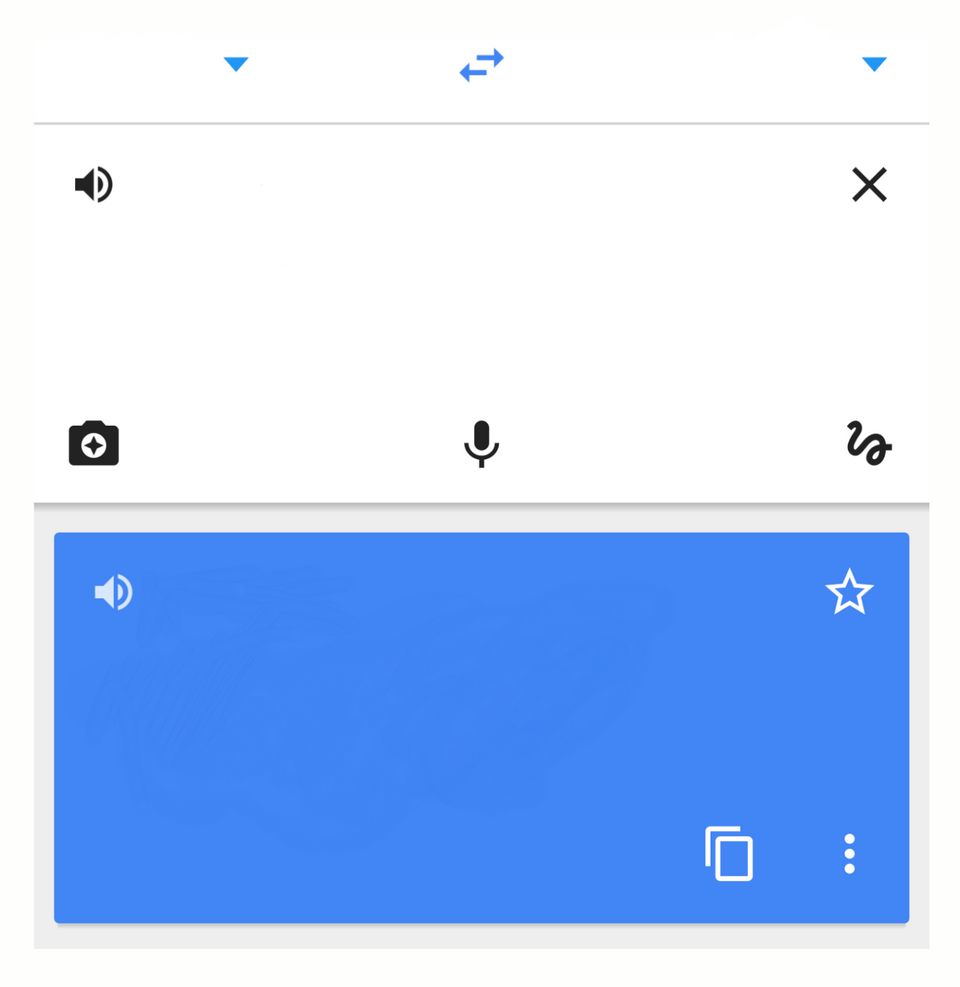
Showing how meaning changes, or hilariously distorts, when something is translated from one language (or context) to another, this template uses the Google Translate interface. It is used to highlight the gap between what someone says and what they actually mean, or to show how a simple request becomes something monstrous when processed through an intermediary. The familiar UI makes the joke immediately legible.
Caption this template- Category
- Situation Meme Templates
- Size
- 960 x 987 px
- Format
- Image
- Price
- Free, no sign up
Where the Google Translate meme comes from
Google Translate launched in 2006 and quickly became both an essential tool and a source of comedy due to its early inaccuracies and unexpected outputs. Screenshots of the translation interface began appearing in meme formats in the 2010s, with users exploiting the input/output structure to create before-and-after jokes about communication and meaning.
How to caption the Google Translate meme
Put what someone claims in the input field and the brutal honest translation of what they actually mean in the output field. Or use it to show how a reasonable request gets processed by a bureaucracy, algorithm, or clueless manager and comes out as something completely different. Open it in the meme generator, or read how to make relatable memes for more.
Google Translate caption ideas
Need a starting point? Try one of these on the Google Translate template, then make it your own in the meme generator.
- Input: 'Let's circle back on this later' / Output: 'I will never think about this again'
- Input: 'No rush, whenever you get a chance' / Output: 'Why isn't this done yet'
- Input: 'I'm five minutes away' / Output: 'I just got in the shower'
- Input: 'It's fine, do whatever you want' / Output: 'It is absolutely not fine, choose correctly'
- Input: 'We'll definitely do this again soon' / Output: 'See you in eleven months by accident'
Best uses for the Google Translate template
Use the Google Translate template when the joke fits a situation format and the image can explain the feeling before the reader finishes the caption. It is strongest for relatable everyday moments, before-and-after jokes, and social observations.
This blank is 960 x 987 px and is a still image, so place the most important words where they stay readable after a feed crop. The near-square frame is flexible for feeds, group chats, Reddit, and Discord.
The sample captions leave room for a setup and a punchline without turning into a paragraph. Before exporting, read the caption once without looking at the image; if it still needs a long explanation, switch to a simpler setup or a more obvious related template.
Caption patterns to try
| Pattern | Why it works |
|---|---|
| Input: 'Let's circle back on this later' / Output: 'I will never think about this again' | This works because it gives the reader a specific situation instead of a vague label. |
| Input: 'No rush, whenever you get a chance' / Output: 'Why isn't this done yet' | This pattern keeps the setup concrete, which helps the template carry the reaction. |
| Input: 'I'm five minutes away' / Output: 'I just got in the shower' | This is a useful direction when you want the punchline to feel personal or self-aware. |
Common mistakes with this blank
- Writing a caption that explains the whole joke instead of letting the Google Translate image do part of the work.
- Placing text over the most expressive part of the image, especially faces, gestures, signs, or the main action.
- Using three different ideas in one meme. This template works better when it points at one clear situation.
- Exporting before checking the meme at phone size. If the smallest words blur together, shorten the caption first.