Caption the Jesse WTF are you talking about? Meme Template
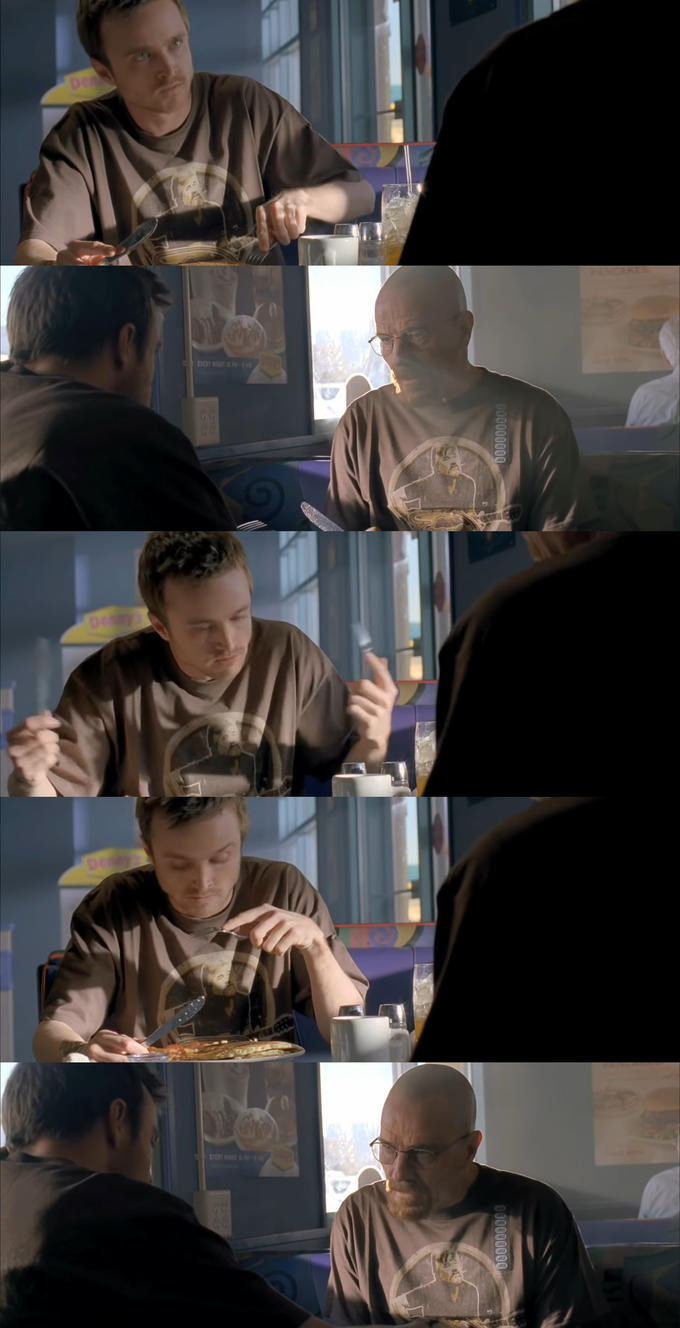
This Breaking Bad template features Walter White turning to look at Jesse Pinkman with an expression of complete bewilderment and exasperation, captioned with 'Jesse, what the f*** are you talking about?' It is used to react to statements, takes, or decisions that are so inexplicable or wrong-headed that they demand a direct confrontation. The paternalistic frustration of Walt's character gives the format a specific flavor of disbelief.
Caption this template- Category
- Situation Meme Templates
- Size
- 680 x 1328 px
- Format
- Image
- Price
- Free, no sign up
Where the Jesse WTF are you talking about? meme comes from
Breaking Bad, the AMC drama series created by Vince Gilligan that aired from 2008 to 2013, starring Bryan Cranston as Walter White and Aaron Paul as Jesse Pinkman, is where the image comes from. Walt's intellectual condescension toward Jesse, captured in this specific scene, became one of the show's signature comedic and dramatic textures. As Breaking Bad became a cultural touchstone, the template gained traction on Reddit and Twitter in the early 2010s.
How to caption the Jesse WTF are you talking about? meme
Use Walt's line to respond to a real or hypothetical take that is so wrong or incoherent it demands an intervention, labeling the context and letting the quote deliver the reaction. You can also flip it so Jesse is the one asking the question and Walt is the one saying something that is technically correct but practically insane. Open it in the meme generator, or read how to make relatable memes for more.
Jesse WTF are you talking about? caption ideas
Need a starting point? Try one of these on the Jesse WTF are you talking about? template, then make it your own in the meme generator.
- Jesse, what the hell are you talking about, you put ketchup on mac and cheese?
- Jesse, what the hell are you talking about, the deadline was 'flexible'?
- Jesse, what the hell are you talking about, you didn't save before closing it?
- Jesse, what the hell are you talking about, cereal is a soup?
- Jesse, what the hell are you talking about, you replied-all to the whole company?
Best uses for the Jesse WTF are you talking about? template
Use the Jesse WTF are you talking about? template when the joke fits a situation format and the image can explain the feeling before the reader finishes the caption. It is strongest for relatable everyday moments, before-and-after jokes, and social observations.
This blank is 680 x 1328 px and is a still image, so place the most important words where they stay readable after a feed crop. The tall frame gives you room for a short setup near the top and a payoff below the main subject.
The sample captions leave room for a setup and a punchline without turning into a paragraph. Before exporting, read the caption once without looking at the image; if it still needs a long explanation, switch to a simpler setup or a more obvious related template.
Caption patterns to try
| Pattern | Why it works |
|---|---|
| Jesse, what the hell are you talking about, you put ketchup on mac and cheese? | This works because it gives the reader a specific situation instead of a vague label. |
| Jesse, what the hell are you talking about, the deadline was 'flexible'? | This pattern keeps the setup concrete, which helps the template carry the reaction. |
| Jesse, what the hell are you talking about, you didn't save before closing it? | This is a useful direction when you want the punchline to feel personal or self-aware. |
Common mistakes with this blank
- Writing a caption that explains the whole joke instead of letting the Jesse WTF are you talking about? image do part of the work.
- Placing text over the most expressive part of the image, especially faces, gestures, signs, or the main action.
- Using three different ideas in one meme. This template works better when it points at one clear situation.
- Exporting before checking the meme at phone size. If the smallest words blur together, shorten the caption first.