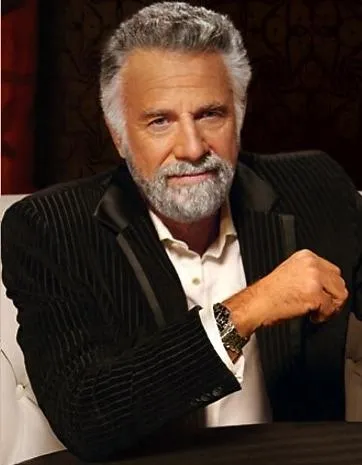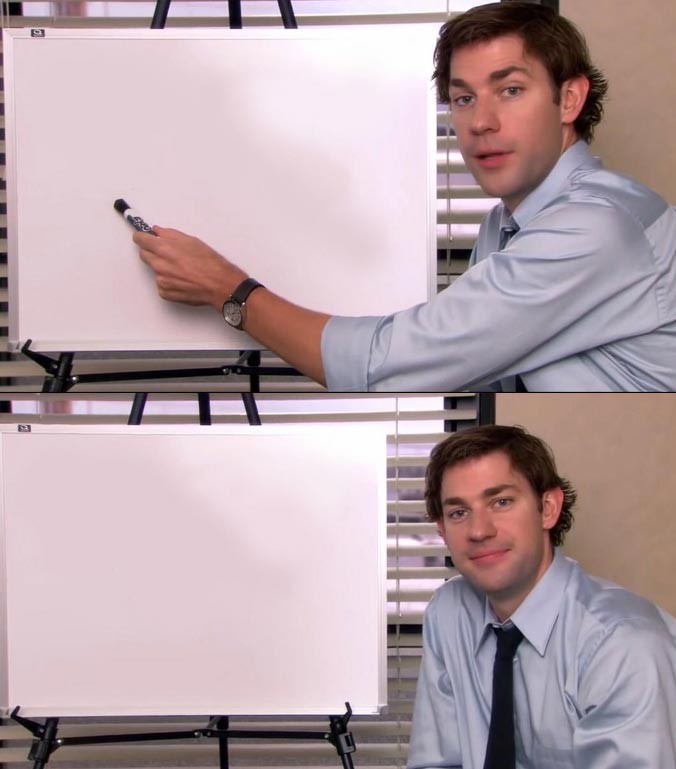
Caption the Jim Halpert Explains Meme Template
Jim Halpert Explains is a template from The Office (US, NBC, 2005-2013) featuring Jim Halpert looking at or addressing the camera in a talking-head interview segment to explain something with dry, deadpan clarity. It suits memes where someone lays out an obvious truth or absurd situation with the patience of someone who has long since given up being surprised. Jim's resigned but amused expression is the key tonal ingredient.
Caption this template- Category
- Situation Meme Templates
- Size
- 676 x 769 px
- Format
- Image
- Price
- Free, no sign up
Where the Jim Halpert Explains meme comes from
The US version of The Office, developed by Greg Daniels and based on the UK series by Ricky Gervais and Stephen Merchant, ran for nine seasons on NBC. Jim's confessional camera moments became iconic for their understated wit and were widely adapted into meme formats in the 2010s. The specific still used varies, but all draw from his trademark look of weary amusement at the absurdity around him.
How to caption the Jim Halpert Explains meme
Use the top or surrounding text to set up the absurd or obvious situation, then let Jim's expression and caption act as the patient, slightly exhausted explanation of what is actually happening. The drier and more matter-of-fact the delivery, the more effectively it captures Jim's signature energy. Open it in the meme generator, or read how to make relatable memes for more.
Jim Halpert Explains caption ideas
Need a starting point? Try one of these on the Jim Halpert Explains template, then make it your own in the meme generator.
- So the 'urgent' email from Friday at 4:59pm. They are now on a two-week vacation. So that's where we are.
- We had a meeting to schedule the meeting where we'll plan the actual meeting. Anyway.
- The new policy fixes a problem that nobody had, and created three new ones. So, good.
- My coworker asked me to 'circle back' on something we already finished. We did not finish it. He did not start it.
- The deadline was today. Leadership found this out today. Together. As a team.
Best uses for the Jim Halpert Explains template
Use the Jim Halpert Explains template when the joke fits a situation format and the image can explain the feeling before the reader finishes the caption. It is strongest for relatable everyday moments, before-and-after jokes, and social observations.
This blank is 676 x 769 px and is a still image, so place the most important words where they stay readable after a feed crop. The near-square frame is flexible for feeds, group chats, Reddit, and Discord.
The sample captions are more detailed, so trim aggressively before posting on small screens. Before exporting, read the caption once without looking at the image; if it still needs a long explanation, switch to a simpler setup or a more obvious related template.
Caption patterns to try
| Pattern | Why it works |
|---|---|
| So the 'urgent' email from Friday at 4:59pm. They are now on a two-week vacation. So that's where we are. | This works because it gives the reader a specific situation instead of a vague label. |
| We had a meeting to schedule the meeting where we'll plan the actual meeting. Anyway. | This pattern keeps the setup concrete, which helps the template carry the reaction. |
| The new policy fixes a problem that nobody had, and created three new ones. So, good. | This is a useful direction when you want the punchline to feel personal or self-aware. |
Common mistakes with this blank
- Writing a caption that explains the whole joke instead of letting the Jim Halpert Explains image do part of the work.
- Placing text over the most expressive part of the image, especially faces, gestures, signs, or the main action.
- Using three different ideas in one meme. This template works better when it points at one clear situation.
- Exporting before checking the meme at phone size. If the smallest words blur together, shorten the caption first.