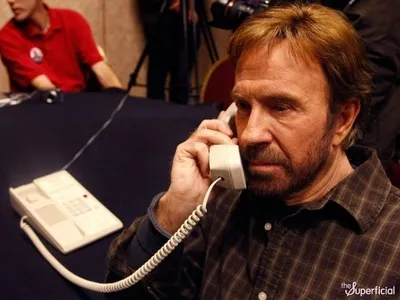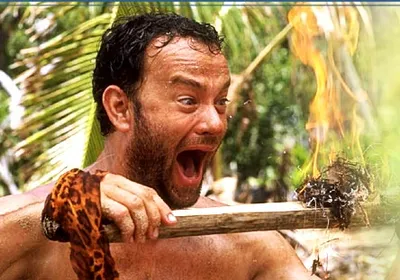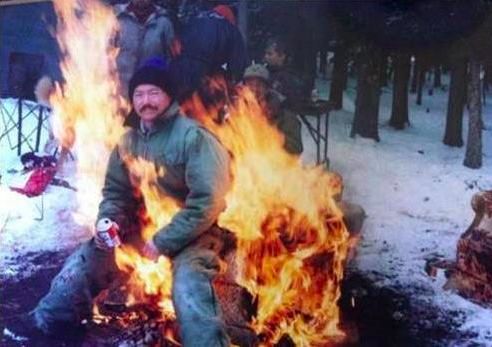
Caption the LIGAF Meme Template
LIGAF stands for Like I Give A F*** and is an image macro or text-based format used to express maximum indifference to a situation, criticism, or social expectation. It is deployed when someone wants to signal that they are completely unbothered by what others think, often with a tone of defiant nonchalance. The format suits callouts of people who loudly announce how little they care, which is inherently ironic.
Caption this template- Category
- Situation Meme Templates
- Size
- 492 x 347 px
- Format
- Image
- Price
- Free, no sign up
Where the LIGAF meme comes from
LIGAF as an acronym format emerged from internet slang culture in the 2000s and 2010s, rooted in forums and comment sections where compressed profanity acronyms were common. The format does not appear tied to a single originating image but rather functions as a text-based declaration that spread across platforms. Its use as an image macro likely developed alongside the broader advice animal and rage comic traditions of the early 2010s.
How to caption the LIGAF meme
Write the caption as a defiant declaration of indifference in the LIGAF voice - Identify what is being ignored and state that it is being ignored with maximum nonchalance. The irony that announcing how little you care proves you somewhat care should be implicit rather than explicit for maximum effect. Open it in the meme generator, or read how to make relatable memes for more.
LIGAF caption ideas
Need a starting point? Try one of these on the LIGAF template, then make it your own in the meme generator.
- My ex posted a new partner and a soft-launch caption. Like I give a f***. I zoomed in for purely analytical reasons.
- The group decided the plan without me. Like I give a f***. I'll just be busy that night, very busy, doing my own thing.
- They left me on read for nine hours. Like I give a f***. I checked exactly forty times to confirm I don't.
- Didn't get invited to the office happy hour. Like I give a f***. I have a rich life that I will now describe in detail.
- Someone unfollowed me. Like I give a f***. I just happen to know who it was and what they wore last Tuesday.
Best uses for the LIGAF template
Use the LIGAF template when the joke fits a situation format and the image can explain the feeling before the reader finishes the caption. It is strongest for relatable everyday moments, before-and-after jokes, and social observations.
This blank is 492 x 347 px and is a still image, so place the most important words where they stay readable after a feed crop. The wide frame works best when the caption stays centered so timeline crops do not cut off the joke.
The sample captions are more detailed, so trim aggressively before posting on small screens. Before exporting, read the caption once without looking at the image; if it still needs a long explanation, switch to a simpler setup or a more obvious related template.
Caption patterns to try
| Pattern | Why it works |
|---|---|
| My ex posted a new partner and a soft-launch caption. Like I give a f***. I zoomed in for purely analytical reasons. | This works because it gives the reader a specific situation instead of a vague label. |
| The group decided the plan without me. Like I give a f***. I'll just be busy that night, very busy, doing my own thing. | This pattern keeps the setup concrete, which helps the template carry the reaction. |
| They left me on read for nine hours. Like I give a f***. I checked exactly forty times to confirm I don't. | This is a useful direction when you want the punchline to feel personal or self-aware. |
Common mistakes with this blank
- Writing a caption that explains the whole joke instead of letting the LIGAF image do part of the work.
- Placing text over the most expressive part of the image, especially faces, gestures, signs, or the main action.
- Using three different ideas in one meme. This template works better when it points at one clear situation.
- Exporting before checking the meme at phone size. If the smallest words blur together, shorten the caption first.