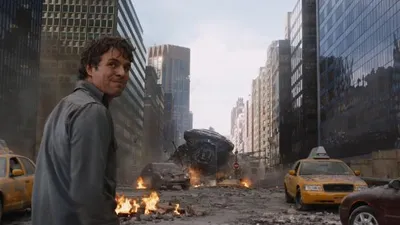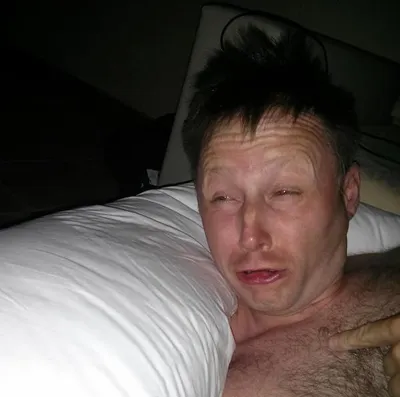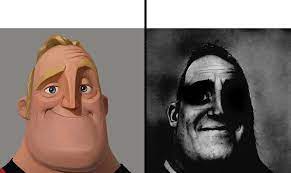
Caption the Normal and dark mr.incredibles Meme Template
This template pairs two frames of Mr. Incredible - One showing him in his normal composed state and one showing a distorted, unhinged dark version - To contrast before-and-after reactions to an escalating situation. It is used to show how something starts wholesome but descends into chaos or obsession. The progression format rewards a clear escalation logic.
Caption this template- Category
- Situation Meme Templates
- Size
- 291 x 173 px
- Format
- Image
- Price
- Free, no sign up
Where the Normal and dark mr.incredibles meme comes from
The Incredibles is a Pixar animated film released in 2004. The Mr. Incredible Becoming Uncanny meme - Using distorted AI-manipulated images of his face alongside normal frames - Went massively viral on TikTok in 2022, spawning the normal-to-dark format template used across platforms.
How to caption the Normal and dark mr.incredibles meme
Label the normal Mr. Incredible panel with the starting situation and the dark/distorted panel with what it becomes after escalation. The descent should feel logically earned - Each step should absurdly worsen until the dark face is justified. Open it in the meme generator, or read how to make relatable memes for more.
Normal and dark mr.incredibles caption ideas
Need a starting point? Try one of these on the Normal and dark mr.incredibles template, then make it your own in the meme generator.
- Normal: 'I'll just check my email real quick' / Dark: it's 2am and I'm rage-replying to a thread from 9am
- Normal: 'one episode before bed' / Dark: 'the sun is coming up and I've started a new series'
- Normal: 'I'll start the diet Monday' / Dark: ordering a second large at 11pm Sunday
- Normal: 'small bug, easy fix' / Dark: 600 lines deleted, nothing works, I am the bug now
- Normal: 'I'll just say hi in the group chat' / Dark: 47 unread replies and now I have a nickname
Best uses for the Normal and dark mr.incredibles template
Use the Normal and dark mr.incredibles template when the joke fits a situation format and the image can explain the feeling before the reader finishes the caption. It is strongest for relatable everyday moments, before-and-after jokes, and social observations.
This blank is 291 x 173 px and is a still image, so place the most important words where they stay readable after a feed crop. The wide frame works best when the caption stays centered so timeline crops do not cut off the joke.
The sample captions are more detailed, so trim aggressively before posting on small screens. Before exporting, read the caption once without looking at the image; if it still needs a long explanation, switch to a simpler setup or a more obvious related template.
Caption patterns to try
| Pattern | Why it works |
|---|---|
| Normal: 'I'll just check my email real quick' / Dark: it's 2am and I'm rage-replying to a thread from 9am | This works because it gives the reader a specific situation instead of a vague label. |
| Normal: 'one episode before bed' / Dark: 'the sun is coming up and I've started a new series' | This pattern keeps the setup concrete, which helps the template carry the reaction. |
| Normal: 'I'll start the diet Monday' / Dark: ordering a second large at 11pm Sunday | This is a useful direction when you want the punchline to feel personal or self-aware. |
Common mistakes with this blank
- Writing a caption that explains the whole joke instead of letting the Normal and dark mr.incredibles image do part of the work.
- Placing text over the most expressive part of the image, especially faces, gestures, signs, or the main action.
- Using three different ideas in one meme. This template works better when it points at one clear situation.
- Exporting before checking the meme at phone size. If the smallest words blur together, shorten the caption first.