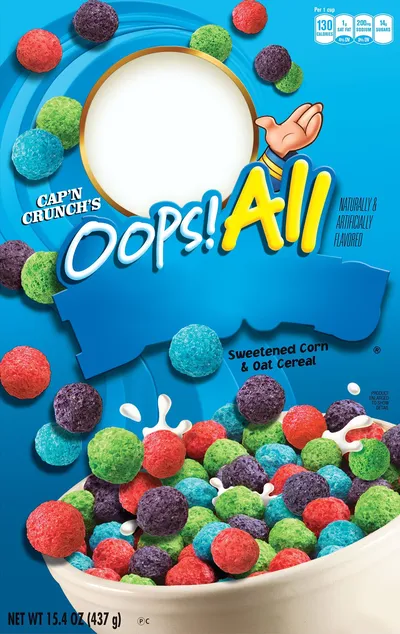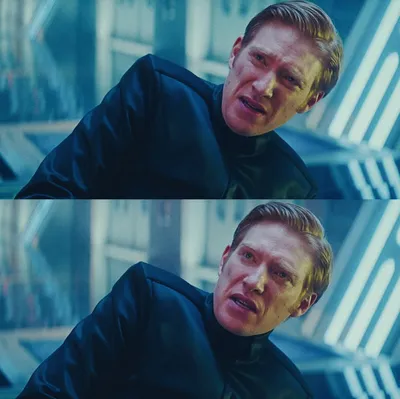
Caption the Posted it again award Meme Template
This template depicts an ironic or sarcastic award being given to someone who has posted the same content, meme, or take for what feels like the hundredth time, used to call out repetitive posters and overused meme formats. It is meta-humor about meme fatigue and the cycle of recycled content on social platforms. The award framing makes the callout feel like a mock ceremony.
Caption this template- Category
- Situation Meme Templates
- Size
- 176 x 216 px
- Format
- Image
- Price
- Free, no sign up
Where the Posted it again award meme comes from
Communities like Reddit, where tracking repost frequency is treated as a community sport, are where the template appears to have emerged, with the specific award imagery likely deriving from trophy or certificate graphics overlaid with ironic text. Since variants of this concept have existed since Reddit's early repost-callout culture, no single definitive original post has been widely credited.
How to caption the Posted it again award meme
Fill in the award text with specifics about what is being repeatedly posted. The more precise the repetition described, the funnier the callout, and it works best when the thing being called out is something the community will immediately recognize as a chronic repost. Open it in the meme generator, or read how to make relatable memes for more.
Posted it again award caption ideas
Need a starting point? Try one of these on the Posted it again award template, then make it your own in the meme generator.
- Award text: Congratulations on posting the 'is the office show actually good or bad' debate for the 4,000th time this year
- Award text: For bravely sharing the same 'I hate Mondays' meme every single Monday since 2019
- Award text: Outstanding achievement in reposting the 'CEO vs employee' tier list nobody asked for again
- Award text: Presented to the group chat member who forwards the exact same TikTok we already saw last week
- Award text: In recognition of recycling 'unpopular opinion: pineapple on pizza' for the hundredth consecutive time
Best uses for the Posted it again award template
Use the Posted it again award template when the joke fits a situation format and the image can explain the feeling before the reader finishes the caption. It is strongest for relatable everyday moments, before-and-after jokes, and social observations.
This blank is 176 x 216 px and is a still image, so place the most important words where they stay readable after a feed crop. The tall frame gives you room for a short setup near the top and a payoff below the main subject.
The sample captions are more detailed, so trim aggressively before posting on small screens. Before exporting, read the caption once without looking at the image; if it still needs a long explanation, switch to a simpler setup or a more obvious related template.
Caption patterns to try
| Pattern | Why it works |
|---|---|
| Award text: Congratulations on posting the 'is the office show actually good or bad' debate for the 4,000th time this year | This works because it gives the reader a specific situation instead of a vague label. |
| Award text: For bravely sharing the same 'I hate Mondays' meme every single Monday since 2019 | This pattern keeps the setup concrete, which helps the template carry the reaction. |
| Award text: Outstanding achievement in reposting the 'CEO vs employee' tier list nobody asked for again | This is a useful direction when you want the punchline to feel personal or self-aware. |
Common mistakes with this blank
- Writing a caption that explains the whole joke instead of letting the Posted it again award image do part of the work.
- Placing text over the most expressive part of the image, especially faces, gestures, signs, or the main action.
- Using three different ideas in one meme. This template works better when it points at one clear situation.
- Exporting before checking the meme at phone size. If the smallest words blur together, shorten the caption first.