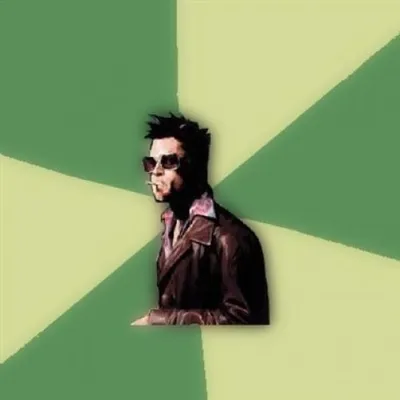
Caption the Skype Meme Template
The Skype meme template uses the Skype logo or interface imagery to comment on the specific frustrations and absurdities of video calling culture, particularly from the era when Skype was the dominant platform for online communication. It is used to joke about audio lag, frozen screens, family video calls, and the awkward rituals of digital communication. The format often evokes nostalgic early-2010s tech humor.
Caption this template- Category
- Situation Meme Templates
- Size
- 500 x 281 px
- Format
- Image
- Price
- Free, no sign up
Where the Skype meme comes from
Skype was launched in 2003 and became the default video calling platform for personal and business use through most of the 2000s and 2010s. As it became ubiquitous, its quirks and failure modes became widely shared comedic material, with the Skype interface and logo appearing in memes that captured the specific indignities of early video calling technology.
How to caption the Skype meme
Top text: 'Finally set up the family Skype call' and bottom text: 'Dad is just a close-up of his forehead for forty minutes.' Use it to capture the particular helplessness of trying to conduct meaningful communication through a video platform that refuses to cooperate. Open it in the meme generator, or read how to make relatable memes for more.
Skype caption ideas
Need a starting point? Try one of these on the Skype template, then make it your own in the meme generator.
- Top: Setting up the family Skype call / Bottom: Grandma is now a single frozen frame of her own ceiling fan
- Top: 'Can you hear me?' / Bottom: The official anthem of every 2012 video call
- Top: Job interview over Skype / Bottom: My audio cuts out exactly when I say my one good answer
- Top: Long-distance partner finally online / Bottom: Both of us yelling 'you're lagging, YOU'RE lagging'
- Top: Mute button exists / Bottom: Coworker eats an entire sandwich into the mic anyway
Best uses for the Skype template
Use the Skype template when the joke fits a situation format and the image can explain the feeling before the reader finishes the caption. It is strongest for relatable everyday moments, before-and-after jokes, and social observations.
This blank is 500 x 281 px and is a still image, so place the most important words where they stay readable after a feed crop. The wide frame works best when the caption stays centered so timeline crops do not cut off the joke.
The sample captions are more detailed, so trim aggressively before posting on small screens. Before exporting, read the caption once without looking at the image; if it still needs a long explanation, switch to a simpler setup or a more obvious related template.
Caption patterns to try
| Pattern | Why it works |
|---|---|
| Top: Setting up the family Skype call / Bottom: Grandma is now a single frozen frame of her own ceiling fan | This works because it gives the reader a specific situation instead of a vague label. |
| Top: 'Can you hear me?' / Bottom: The official anthem of every 2012 video call | This pattern keeps the setup concrete, which helps the template carry the reaction. |
| Top: Job interview over Skype / Bottom: My audio cuts out exactly when I say my one good answer | This is a useful direction when you want the punchline to feel personal or self-aware. |
Common mistakes with this blank
- Writing a caption that explains the whole joke instead of letting the Skype image do part of the work.
- Placing text over the most expressive part of the image, especially faces, gestures, signs, or the main action.
- Using three different ideas in one meme. This template works better when it points at one clear situation.
- Exporting before checking the meme at phone size. If the smallest words blur together, shorten the caption first.