Caption the Smart Guy Meme Template
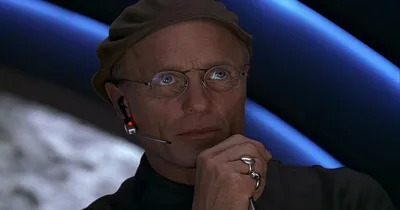
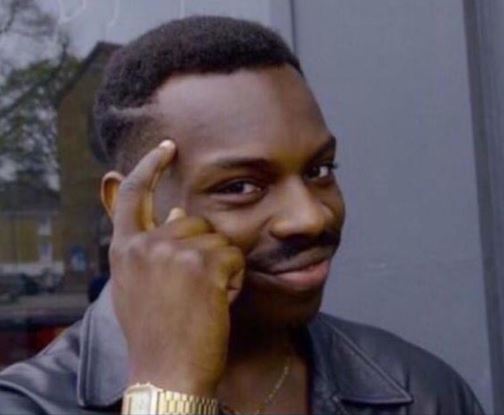
The Smart Guy template features a person tapping their temple or pointing to their head with a knowing smile, implying they have figured out a clever loophole or unconventional solution. It is used to highlight a shortcut or workaround that is technically correct but likely not what was intended.
Caption this template- Category
- People and Face Meme Templates
- Size
- 504 x 415 px
- Format
- Image
- Price
- Free, no sign up
Where the Smart Guy meme comes from
The pointing-to-the-head gesture image has circulated in various forms across the internet, with multiple source images being used interchangeably for this template type. The format became popular in the meme community around the mid-2010s as a way to celebrate lateral thinking and rules-lawyering.
How to caption the Smart Guy meme
Caption the setup with a constraint or problem, then use the Smart Guy to reveal the technically valid but clearly unintended solution that sidesteps the issue. The bigger the gap between the spirit of the rule and the letter of the loophole being exploited, the better the joke. Open it in the meme generator, or read how to make relatable memes for more.
Smart Guy caption ideas
Need a starting point? Try one of these on the Smart Guy template, then make it your own in the meme generator.
- Boss said no overtime, so I just work slower during regular hours
- Teacher said the essay needs 5 sources, so I cited the same book five times
- Can't be late to the meeting if you decline the invite
- My diet allows cheat days, so today is technically a holiday
- The bug doesn't exist if I never run that part of the code
Best uses for the Smart Guy template
Use the Smart Guy template when the joke fits a people and face format and the image can explain the feeling before the reader finishes the caption. It is strongest for expressions, awkward moments, and character-driven jokes.
This blank is 504 x 415 px and is a still image, so place the most important words where they stay readable after a feed crop. The wide frame works best when the caption stays centered so timeline crops do not cut off the joke.
The sample captions leave room for a setup and a punchline without turning into a paragraph. Before exporting, read the caption once without looking at the image; if it still needs a long explanation, switch to a simpler setup or a more obvious related template.
Caption patterns to try
| Pattern | Why it works |
|---|---|
| Boss said no overtime, so I just work slower during regular hours | This works because it gives the reader a specific situation instead of a vague label. |
| Teacher said the essay needs 5 sources, so I cited the same book five times | This pattern keeps the setup concrete, which helps the template carry the reaction. |
| Can't be late to the meeting if you decline the invite | This is a useful direction when you want the punchline to feel personal or self-aware. |
Common mistakes with this blank
- Writing a caption that explains the whole joke instead of letting the Smart Guy image do part of the work.
- Placing text over the most expressive part of the image, especially faces, gestures, signs, or the main action.
- Using three different ideas in one meme. This template works better when it points at one clear situation.
- Exporting before checking the meme at phone size. If the smallest words blur together, shorten the caption first.