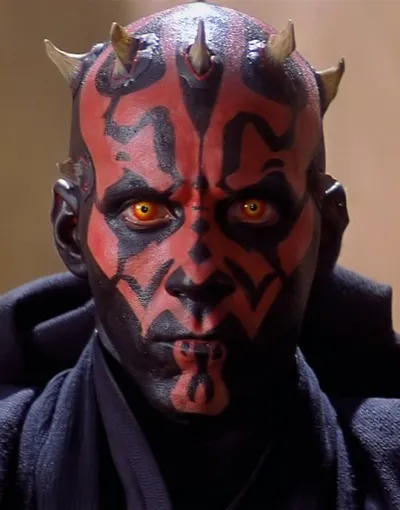
Caption the Steve Jobs Meme Template
A macro image of Apple co-founder Steve Jobs, often from press conferences or product launches where he displayed his signature visionary intensity. Used to caption tech industry commentary, statements about innovation and disruption, or jokes about Apple product philosophy and pricing.
Caption this template- Category
- Situation Meme Templates
- Size
- 500 x 375 px
- Format
- Image
- Price
- Free, no sign up
Where the Steve Jobs meme comes from
Steve Jobs was the co-founder and longtime CEO of Apple Inc., and the source imagery for this meme comes from Apple product launch keynotes and press photographs taken throughout his career, most prominently between his 1997 return to Apple and his death in October 2011. Memes using his image proliferated after his passing as the internet processed his outsized cultural legacy.
How to caption the Steve Jobs meme
Write in the voice of Steve Jobs delivering a keynote announcement, using the top text to frame the problem and the bottom text to reveal the revolutionary Apple solution - Ideally one that is overpriced, obvious, or something that already existed. The format works best when lampooning Apple's specific marketing language and aesthetic. Open it in the meme generator, or read how to make relatable memes for more.
Steve Jobs caption ideas
Need a starting point? Try one of these on the Steve Jobs template, then make it your own in the meme generator.
- Top: People wanted a way to carry water / Bottom: introducing the iCup. It's a cup. It's $899.
- Top: You asked for a phone with a headphone jack / Bottom: so we removed the headphone jack. Courage.
- Top: Your charger from last year still works / Bottom: not anymore. New port. Magical.
- Top: You wanted a folder to organize files / Bottom: we call it the iFolder. The adapter is sold separately.
- Top: Customers requested a smaller, cheaper laptop / Bottom: behold, the same laptop, but $400 more
Best uses for the Steve Jobs template
Use the Steve Jobs template when the joke fits a situation format and the image can explain the feeling before the reader finishes the caption. It is strongest for relatable everyday moments, before-and-after jokes, and social observations.
This blank is 500 x 375 px and is a still image, so place the most important words where they stay readable after a feed crop. The wide frame works best when the caption stays centered so timeline crops do not cut off the joke.
The sample captions are more detailed, so trim aggressively before posting on small screens. Before exporting, read the caption once without looking at the image; if it still needs a long explanation, switch to a simpler setup or a more obvious related template.
Caption patterns to try
| Pattern | Why it works |
|---|---|
| Top: People wanted a way to carry water / Bottom: introducing the iCup. It's a cup. It's $899. | This works because it gives the reader a specific situation instead of a vague label. |
| Top: You asked for a phone with a headphone jack / Bottom: so we removed the headphone jack. Courage. | This pattern keeps the setup concrete, which helps the template carry the reaction. |
| Top: Your charger from last year still works / Bottom: not anymore. New port. Magical. | This is a useful direction when you want the punchline to feel personal or self-aware. |
Common mistakes with this blank
- Writing a caption that explains the whole joke instead of letting the Steve Jobs image do part of the work.
- Placing text over the most expressive part of the image, especially faces, gestures, signs, or the main action.
- Using three different ideas in one meme. This template works better when it points at one clear situation.
- Exporting before checking the meme at phone size. If the smallest words blur together, shorten the caption first.