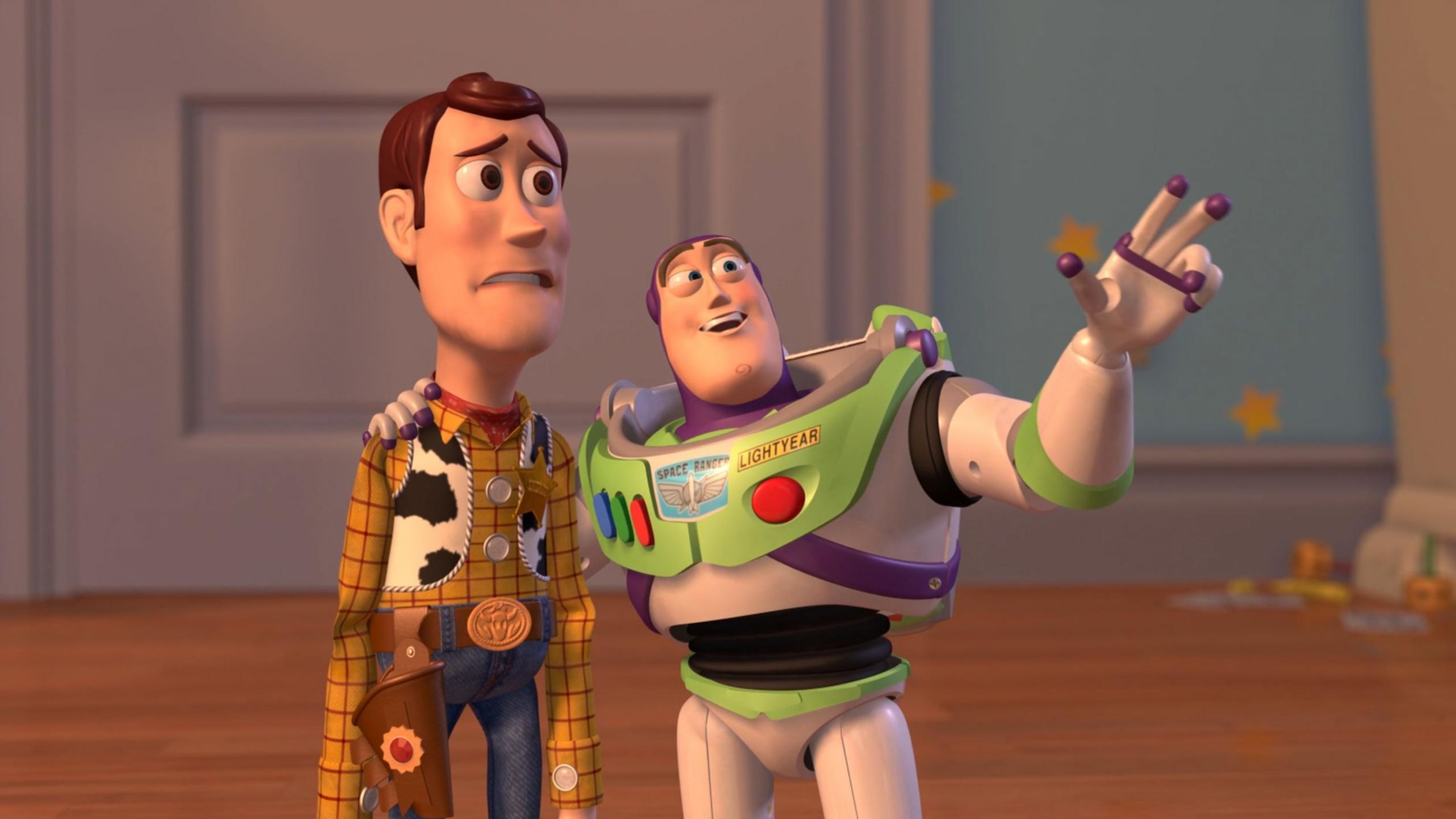
Caption the Woody and Buzz Lightyear Everywhere Widescreen Meme Template
This widescreen version of the Woody and Buzz Lightyear 'Everywhere' meme shows Woody gesturing broadly while Buzz looks on, used to humorously suggest that something is ubiquitous or unavoidable. The wider crop gives creators more room for longer label text across the image. It is commonly used to mock trends, repeated excuses, or things that seem to appear in every context.
Caption this template- Category
- Situation Meme Templates
- Size
- 2524 x 1419 px
- Format
- Image
- Price
- Free, no sign up
Where the Woody and Buzz Lightyear Everywhere Widescreen meme comes from
The format comes from the 1995 Pixar film Toy Story, specifically the scene where Buzz Lightyear gasps at the wonders of Andy's room. The original two-panel meme rose to prominence around 2013-2014, and the widescreen variant was created later to accommodate more text without cropping key visual elements.
How to caption the Woody and Buzz Lightyear Everywhere Widescreen meme
Label Woody as a sarcastic observer and Buzz's gesture area as whatever overhyped or omnipresent thing you are mocking. Alternatively, use the wide frame to write a long, multi-word phrase in Buzz's gesture zone for comedic effect. Open it in the meme generator, or read how to make relatable memes for more.
Woody and Buzz Lightyear Everywhere Widescreen caption ideas
Need a starting point? Try one of these on the Woody and Buzz Lightyear Everywhere Widescreen template, then make it your own in the meme generator.
- Woody: 'AI?' / Buzz: AI, AI everywhere
- Woody: 'subscriptions?' / Buzz: subscriptions, subscriptions everywhere
- Woody: 'just one more meeting?' / Buzz: meetings, meetings everywhere
- Woody: 'people quoting the same one TikTok sound?' / Buzz: everywhere, absolutely everywhere
- Woody: 'hidden checkout fees?' / Buzz: fees, fees everywhere
Best uses for the Woody and Buzz Lightyear Everywhere Widescreen template
Use the Woody and Buzz Lightyear Everywhere Widescreen template when the joke fits a situation format and the image can explain the feeling before the reader finishes the caption. It is strongest for relatable everyday moments, before-and-after jokes, and social observations.
This blank is 2524 x 1419 px and is a still image, so place the most important words where they stay readable after a feed crop. The wide frame works best when the caption stays centered so timeline crops do not cut off the joke.
The sample captions leave room for a setup and a punchline without turning into a paragraph. Before exporting, read the caption once without looking at the image; if it still needs a long explanation, switch to a simpler setup or a more obvious related template.
Caption patterns to try
| Pattern | Why it works |
|---|---|
| Woody: 'AI?' / Buzz: AI, AI everywhere | This works because it gives the reader a specific situation instead of a vague label. |
| Woody: 'subscriptions?' / Buzz: subscriptions, subscriptions everywhere | This pattern keeps the setup concrete, which helps the template carry the reaction. |
| Woody: 'just one more meeting?' / Buzz: meetings, meetings everywhere | This is a useful direction when you want the punchline to feel personal or self-aware. |
Common mistakes with this blank
- Writing a caption that explains the whole joke instead of letting the Woody and Buzz Lightyear Everywhere Widescreen image do part of the work.
- Placing text over the most expressive part of the image, especially faces, gestures, signs, or the main action.
- Using three different ideas in one meme. This template works better when it points at one clear situation.
- Exporting before checking the meme at phone size. If the smallest words blur together, shorten the caption first.