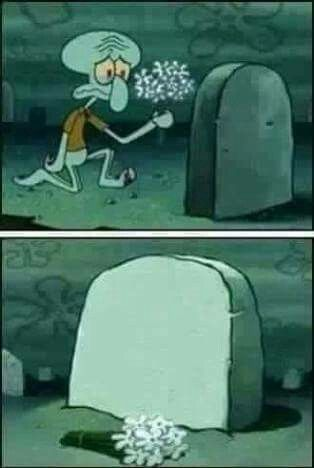
Caption the Grave Spongebob Meme Template
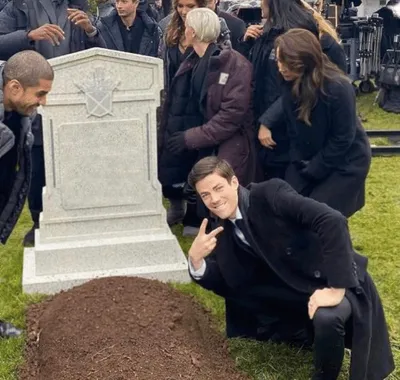
Grave Spongebob shows SpongeBob SquarePants standing solemnly at a grave, used to represent mourning the death or end of something, or visiting the burial site of a concept, relationship, or era. It is often captioned to eulogize a discontinued product, dead meme, or lost habit.
Caption this template- Category
- Text and Sign Meme Templates
- Size
- 314 x 468 px
- Format
- Image
- Price
- Free, no sign up
Where the Grave Spongebob meme comes from
The image is taken from SpongeBob SquarePants, the Nickelodeon animated series created by Stephen Hillenburg that premiered in 1999. The specific graveyard scene has been clipped from the show and widely used as a reaction image since the mid-2010s, when SpongeBob memes became dominant across social platforms.
How to caption the Grave Spongebob meme
Label the gravestone with whatever has recently ended, been cancelled, or been left behind, and use SpongeBob's solemn presence to represent the moment of quiet farewell. Add a caption describing what killed it or how long it lasted to give the joke a mock-obituary structure. Open it in the meme generator, or read the caption card guide for more.
Grave Spongebob caption ideas
Need a starting point? Try one of these on the Grave Spongebob template, then make it your own in the meme generator.
- RIP my motivation / Lived a good life: Monday 9am to Monday 9:06am
- Here lies my free trial / It saw too much and charged me anyway
- In memory of my New Year's resolution / January 1 – January 3
- RIP the group chat / It died the moment someone said 'so what's everyone's availability'
- Here lies my phone battery / It gave everything during the group photo
Best uses for the Grave Spongebob template
Use the Grave Spongebob template when the joke fits a text and sign format and the image can explain the feeling before the reader finishes the caption. It is strongest for labels, announcements, warnings, and quote-style memes.
This blank is 314 x 468 px and is a still image, so place the most important words where they stay readable after a feed crop. The tall frame gives you room for a short setup near the top and a payoff below the main subject.
The sample captions leave room for a setup and a punchline without turning into a paragraph. Before exporting, read the caption once without looking at the image; if it still needs a long explanation, switch to a simpler setup or a more obvious related template.
Caption patterns to try
| Pattern | Why it works |
|---|---|
| RIP my motivation / Lived a good life: Monday 9am to Monday 9:06am | This works because it gives the reader a specific situation instead of a vague label. |
| Here lies my free trial / It saw too much and charged me anyway | This pattern keeps the setup concrete, which helps the template carry the reaction. |
| In memory of my New Year's resolution / January 1 – January 3 | This is a useful direction when you want the punchline to feel personal or self-aware. |
Common mistakes with this blank
- Writing a caption that explains the whole joke instead of letting the Grave Spongebob image do part of the work.
- Placing text over the most expressive part of the image, especially faces, gestures, signs, or the main action.
- Using three different ideas in one meme. This template works better when it points at one clear situation.
- Exporting before checking the meme at phone size. If the smallest words blur together, shorten the caption first.