Caption the HOMER BUSH Meme Template
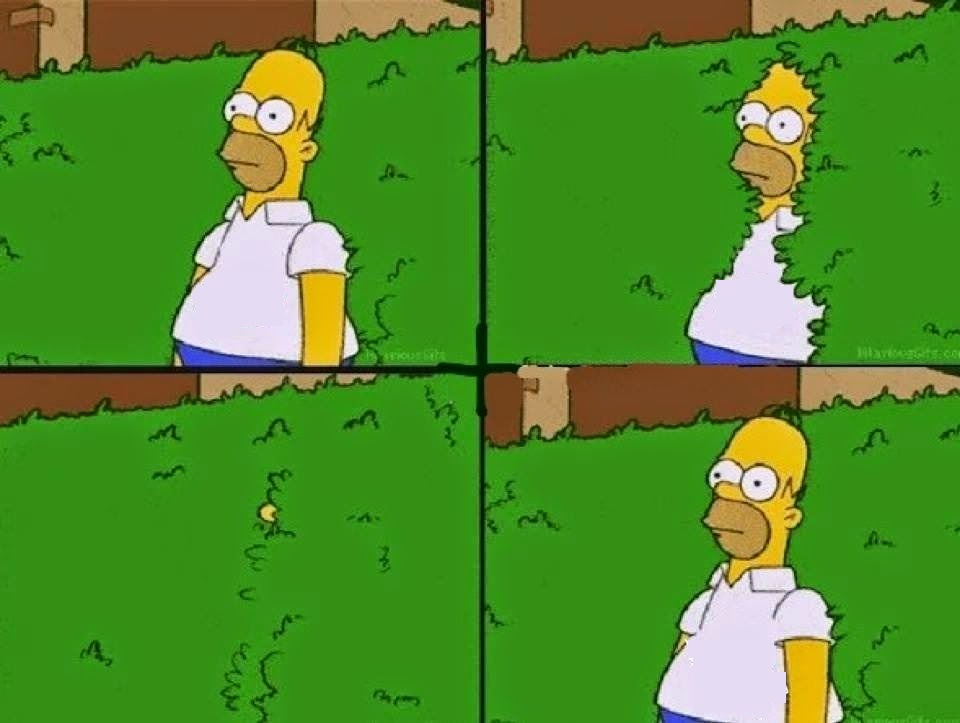
The Homer Bush template shows Homer Simpson slowly backing into a hedge to disappear from an awkward or uncomfortable situation, taken from a recurring gag in The Simpsons. It is used to represent the desire to vanish or withdraw when you have said or done something embarrassing, or when a situation becomes too uncomfortable to face.
Caption this template- Category
- Movie and TV Meme Templates
- Size
- 960 x 723 px
- Format
- Image
- Price
- Free, no sign up
Where the HOMER BUSH meme comes from
From the long-running Fox animated series The Simpsons, created by Matt Groening and premiering in 1989, comes this image. The specific gag of Homer sliding back into a suburban hedge became one of the show's most iconic recurring visual jokes, and the GIF and still image spread widely as a perfect internet reaction to social awkwardness.
How to caption the HOMER BUSH meme
Caption the moment above the image as the embarrassing thing you just said or did, then let Homer's retreat into the bush serve as your wordless response. Works especially well when the situation above is something you absolutely cannot take back. Open it in the meme generator, or read why memes go viral for more.
HOMER BUSH caption ideas
Need a starting point? Try one of these on the HOMER BUSH template, then make it your own in the meme generator.
- Me after saying 'you too' when the waiter said 'enjoy your meal'
- When I wave back at someone who was waving at the person behind me
- Me after sending a text to the wrong group chat
- When I confidently answer a question and it turns out I misheard it completely
- Me reversing into the hedge after calling my teacher 'mom'
Best uses for the HOMER BUSH template
Use the HOMER BUSH template when the joke fits a movie and TV format and the image can explain the feeling before the reader finishes the caption. It is strongest for recognizable scenes, character reactions, and pop-culture punchlines.
This blank is 960 x 723 px and is a still image, so place the most important words where they stay readable after a feed crop. The wide frame works best when the caption stays centered so timeline crops do not cut off the joke.
The sample captions leave room for a setup and a punchline without turning into a paragraph. Before exporting, read the caption once without looking at the image; if it still needs a long explanation, switch to a simpler setup or a more obvious related template.
Caption patterns to try
| Pattern | Why it works |
|---|---|
| Me after saying 'you too' when the waiter said 'enjoy your meal' | This works because it gives the reader a specific situation instead of a vague label. |
| When I wave back at someone who was waving at the person behind me | This pattern keeps the setup concrete, which helps the template carry the reaction. |
| Me after sending a text to the wrong group chat | This is a useful direction when you want the punchline to feel personal or self-aware. |
Common mistakes with this blank
- Writing a caption that explains the whole joke instead of letting the HOMER BUSH image do part of the work.
- Placing text over the most expressive part of the image, especially faces, gestures, signs, or the main action.
- Using three different ideas in one meme. This template works better when it points at one clear situation.
- Exporting before checking the meme at phone size. If the smallest words blur together, shorten the caption first.