Caption the Spongebob Imagination Meme Template
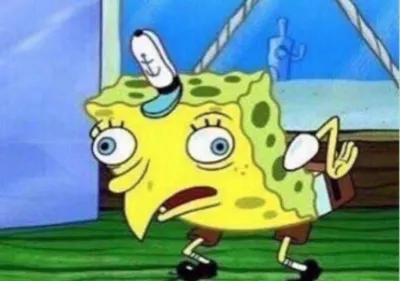
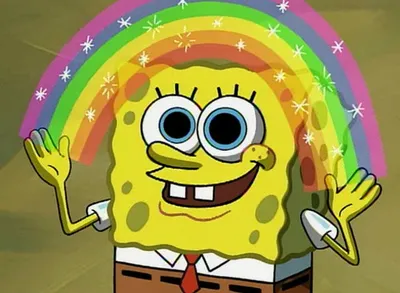
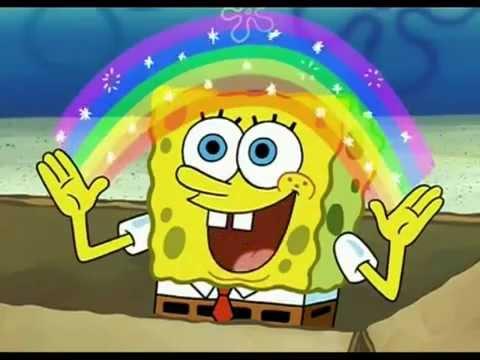
SpongeBob SquarePants spreads his hands wide while a rainbow arc materializes between them in this template, representing a grand, sweeping vision or idea. It is used to dramatize an exciting or ridiculous concept, often placing the imagined thing in text above the rainbow. The format works especially well for ironic or absurd pitches where the 'vision' turns out to be something deeply stupid.
Caption this template- Category
- Movie and TV Meme Templates
- Size
- 480 x 360 px
- Format
- Image
- Price
- Free, no sign up
Where the Spongebob Imagination meme comes from
The image is taken from the SpongeBob SquarePants episode 'Idiot Box' (Season 3, 2002), in which SpongeBob uses his imagination to turn a cardboard box into an adventure. The rainbow hand gesture became iconic from this scene and was extracted as a standalone image macro format, gaining widespread use across internet forums in the 2010s.
How to caption the Spongebob Imagination meme
Place the concept you're pitching or imagining in bold text over the rainbow arc to let SpongeBob's enthusiasm carry the joke. For best results, make what appears between his hands either unexpectedly mundane or so grandiose that the gap between hype and content is the punchline. Open it in the meme generator, or read why memes go viral for more.
Spongebob Imagination caption ideas
Need a starting point? Try one of these on the Spongebob Imagination template, then make it your own in the meme generator.
- My entire retirement plan: a $4 scratch ticket
- The five-year career roadmap I made at 2am: quit and open a soup van
- What I'll accomplish this weekend (I will lie on the couch)
- The startup idea that's definitely going to make me a billionaire: an app that's just texting but worse
- My grand strategy for getting fit: thinking about the gym very hard
Best uses for the Spongebob Imagination template
Use the Spongebob Imagination template when the joke fits a movie and TV format and the image can explain the feeling before the reader finishes the caption. It is strongest for recognizable scenes, character reactions, and pop-culture punchlines.
This blank is 480 x 360 px and is a still image, so place the most important words where they stay readable after a feed crop. The wide frame works best when the caption stays centered so timeline crops do not cut off the joke.
The sample captions leave room for a setup and a punchline without turning into a paragraph. Before exporting, read the caption once without looking at the image; if it still needs a long explanation, switch to a simpler setup or a more obvious related template.
Caption patterns to try
| Pattern | Why it works |
|---|---|
| My entire retirement plan: a $4 scratch ticket | This works because it gives the reader a specific situation instead of a vague label. |
| The five-year career roadmap I made at 2am: quit and open a soup van | This pattern keeps the setup concrete, which helps the template carry the reaction. |
| What I'll accomplish this weekend (I will lie on the couch) | This is a useful direction when you want the punchline to feel personal or self-aware. |
Common mistakes with this blank
- Writing a caption that explains the whole joke instead of letting the Spongebob Imagination image do part of the work.
- Placing text over the most expressive part of the image, especially faces, gestures, signs, or the main action.
- Using three different ideas in one meme. This template works better when it points at one clear situation.
- Exporting before checking the meme at phone size. If the smallest words blur together, shorten the caption first.