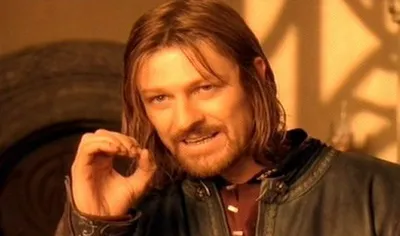
Caption the Yo Dawg Heard You Meme Template
Yo Dawg Heard You uses rapper Xzibit to announce recursive absurdity: you heard someone liked a thing, so you put that thing inside itself so they could enjoy it while they enjoy it. It is used for nested concepts, recursive logic, or anything that is self-referentially stacked.
Caption this template- Category
- Classic Meme Templates
- Size
- 500 x 323 px
- Format
- Image
- Price
- Free, no sign up
Where the Yo Dawg Heard You meme comes from
The meme originated from the MTV show Pimp My Ride, which Xzibit hosted. The show's habit of adding features inside features inspired the yo dawg format, which exploded on the internet around 2008 and became a cornerstone of early meme culture.
How to caption the Yo Dawg Heard You meme
Pick something that can plausibly be nested inside itself and build the joke around the recursion. It also works for situations where something is simply happening at two levels simultaneously, even if the nesting is more metaphorical than literal. Open it in the meme generator, or read the top and bottom text guide for more.
Yo Dawg Heard You caption ideas
Need a starting point? Try one of these on the Yo Dawg Heard You template, then make it your own in the meme generator.
- Yo dawg, I heard you like meetings, so I put a meeting in your meeting to schedule the next meeting
- Yo dawg, I heard you like tabs, so I opened a browser in your browser so you can browse while you browse
- Yo dawg, I heard you like to-do lists, so I added 'make a to-do list' to your to-do list
- Yo dawg, I heard you like spreadsheets, so I put a spreadsheet in your spreadsheet to track your spreadsheets
- Yo dawg, I heard you like backups, so I backed up your backup so you can restore while you restore
Best uses for the Yo Dawg Heard You template
Use the Yo Dawg Heard You template when the joke fits a classic format and the image can explain the feeling before the reader finishes the caption. It is strongest for evergreen formats, familiar setups, and fast recognizable jokes.
This blank is 500 x 323 px and is a still image, so place the most important words where they stay readable after a feed crop. The wide frame works best when the caption stays centered so timeline crops do not cut off the joke.
The sample captions are more detailed, so trim aggressively before posting on small screens. Before exporting, read the caption once without looking at the image; if it still needs a long explanation, switch to a simpler setup or a more obvious related template.
Caption patterns to try
| Pattern | Why it works |
|---|---|
| Yo dawg, I heard you like meetings, so I put a meeting in your meeting to schedule the next meeting | This works because it gives the reader a specific situation instead of a vague label. |
| Yo dawg, I heard you like tabs, so I opened a browser in your browser so you can browse while you browse | This pattern keeps the setup concrete, which helps the template carry the reaction. |
| Yo dawg, I heard you like to-do lists, so I added 'make a to-do list' to your to-do list | This is a useful direction when you want the punchline to feel personal or self-aware. |
Common mistakes with this blank
- Writing a caption that explains the whole joke instead of letting the Yo Dawg Heard You image do part of the work.
- Placing text over the most expressive part of the image, especially faces, gestures, signs, or the main action.
- Using three different ideas in one meme. This template works better when it points at one clear situation.
- Exporting before checking the meme at phone size. If the smallest words blur together, shorten the caption first.