
Making the Classic Top and Bottom Text Meme
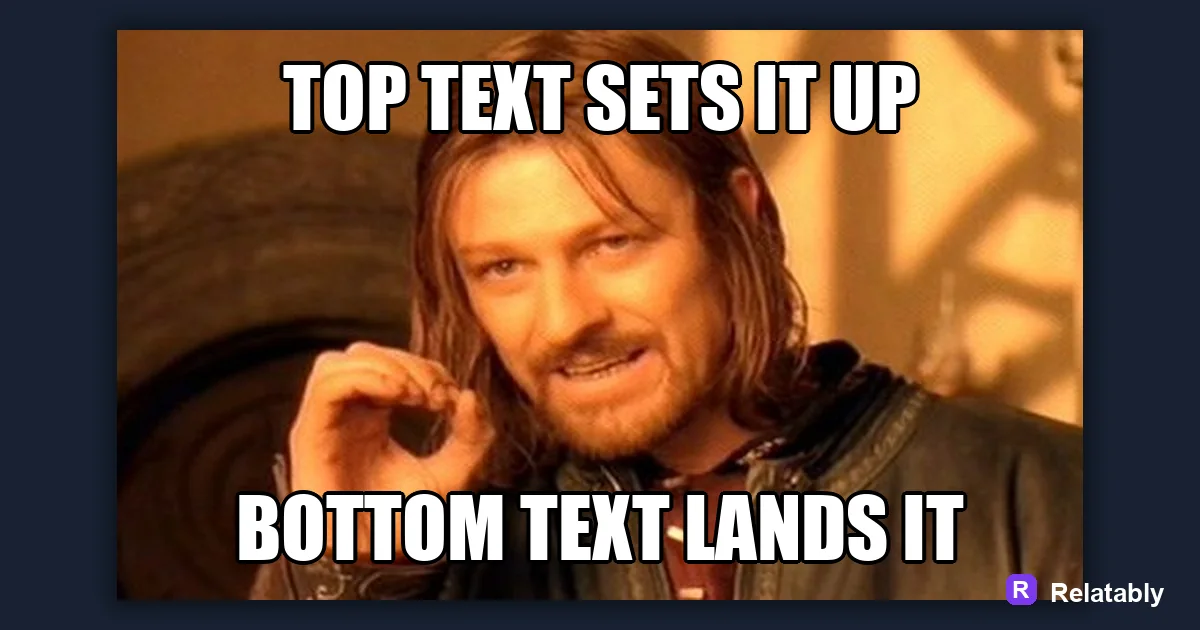
How to use the classic two-line meme format.
On this page
To make a top and bottom text meme, put the setup on top and the punchline on the bottom of a single image. The top builds the idea and the bottom flips it, so the reader hits the joke after seeing the picture.
How the top and bottom format works
This is the classic meme layout. One image sits in the middle, a line of text rides across the top, and a second line runs across the bottom. The two lines work together to build and deliver a single joke.
The format is powerful because it builds a tiny story in three beats. The top sets you up, the image gives context, and the bottom delivers the twist right where your eye finishes reading.
It is also instantly recognizable. People know how to read it without thinking, so the joke lands faster than in a format they have to figure out first.
Splitting your joke into setup and payoff
The real skill here is deciding what goes up top and what waits for the bottom. The top line should raise a question or set an expectation, and the bottom should answer it or break it in a way the reader did not see coming.
If you put the funny part on top, the bottom has nothing left to land. Save the surprise for the bottom line so the reader gets paid off at the very end, where it has the most punch.
- Top line sets up the situation
- Bottom line lands the twist
- Keep both lines short and punchy
- Make sure the image connects the two
Top text versus bottom text jobs
Each line has a clear and separate role. Mixing them up is the single most common reason a top and bottom meme falls flat, because the joke ends in the wrong place.
This table keeps the jobs straight so you always know which idea belongs where and what the image in between is doing.
| Line | Its job | Example feel |
|---|---|---|
| Top text | Set the expectation | Here is the plan |
| Bottom text | Break it for the laugh | What really happened |
| Image | Tie the two together | The reaction between |
Styling the two lines so both read clearly
Top and bottom text is usually styled the same way so the meme looks balanced. Use the classic bold uppercase look with a dark outline so white letters stand out over any image. Build it in the Meme Generator and keep both lines the same size.
Push each line near its edge but not off it. A small margin keeps letters from touching the border and getting clipped when the meme is shared or compressed by an app.
Matching the two lines in font and size also signals that they belong to the same joke, which helps the reader connect the setup to the payoff.
How long each line should be
Both lines need to be short enough to read in a glance, but they do not have to match in length exactly. A slightly longer bottom line is fine if it carries the punchline, as long as it still fits in one quick read.
The chart shows a rough word count that keeps each line snappy and the combined meme easy to take in at feed speed.
Words that keep each line snappy
Reading order that makes the joke land
The whole format depends on the eye moving top, then image, then bottom. If the bottom text is the weaker line, the meme ends on a soft note and the joke fizzles right when it should peak.
Test it by reading top to bottom out loud. If the last words make you smile, the order is right. If the smile came in the middle, swap your lines so the strongest beat lands last.
It also helps to imagine someone seeing the meme for the first time at feed speed. They will read the top, glance at the image, and land on the bottom in about a second. When that one second ends on your best line, the joke works exactly the way the format was built to.
To go deeper, read meme template guide, how to make a caption card meme, make a meme, and how to make a comparison meme.
Best template direction for this meme
Classic templates make setup and payoff obvious because readers already know the format.
| Decision | Recommendation |
|---|---|
| Start with | Classic |
| Caption length | One short setup line, plus a payoff only if the format needs it. |
| Editor move | Open a blank template, add text boxes, then drag captions away from faces and key details. |
- Browse the template category before writing the final caption.
- Test one literal caption and one exaggerated caption; keep the faster one.
- Export and check the meme at phone size before posting.