
The Design Principles Behind Shareable Quote Images
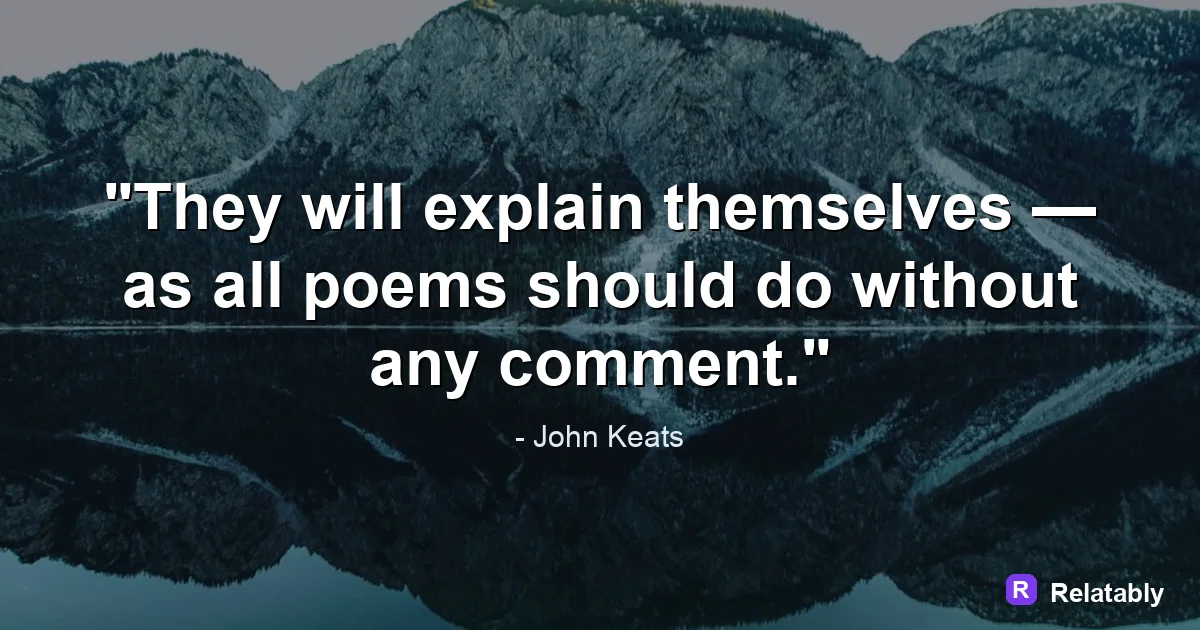
The handful of rules that separate a clean quote image from a cluttered one.
On this page
Strong quote design rests on a few steady rules: one focal point, clear contrast, enough breathing room, and a simple type choice. When those principles hold, almost any quote looks intentional and polished.
Let one element lead the design
Every quote image needs a clear hero, and that hero is the words. When the background, logo, and text all fight for attention, the eye does not know where to land.
Decide up front that the quote leads. Everything else, like color, photo, and credit, should support it rather than compete with it.
This single decision settles most design questions before they come up. If a choice pulls focus away from the words, it is the wrong choice.
Contrast is what makes a quote readable
If readers cannot separate the text from the background instantly, the design has failed no matter how pretty it looks. Contrast is the rule you can never skip.
Pair light text on a dark area or dark text on a light area. The bigger the difference in brightness, the easier the words are to read at a glance.
When a busy photo gets in the way, add a soft dark or light overlay behind the words to lift them off the image. This one trick rescues most hard-to-read designs.
| Background | Safer text choice |
|---|---|
| Dark photo | Light or white text |
| Light photo | Dark or charcoal text |
| Busy photo | Text on a soft overlay |
| Solid color | High contrast tone |
Hierarchy: deciding what readers see first
Hierarchy is the order in which the eye travels through a design. A good quote image guides that journey on purpose rather than by accident.
Make the quote the largest element, the credit smaller, and any handle or logo smaller still. Size and weight quietly tell the reader what matters most.
When everything is the same size, nothing stands out. Set a clear difference between the levels so the path through the image is obvious.
- Quote: largest and boldest
- Author or credit: medium and quiet
- Handle or logo: small and tucked in a corner
How much each part should claim
A balanced layout gives most of the frame to the words and only a sliver to extras. When the logo or credit grows too large, the whole design tips off balance.
Use this rough split as a starting point, then adjust to taste. The quote should always own the clear majority of attention on the image.
If you ever feel a design looks busy, check these shares first. Shrinking the extras usually fixes the problem instantly.
Visual weight by element (percent)
Restraint with color and type
Beginners often reach for too many fonts and too many colors at once. Restraint reads as confidence, while clutter reads as uncertainty.
Hold to one or two fonts and a tight color set of two or three tones. Let weight changes, like bold versus regular, create variety instead of new typefaces.
A line like Quiet effort outlasts loud promises needs nothing fancy to feel finished. The plainer the design, the more the words shine, and the easier the post is to read at a glance.
Alignment and where to anchor the words
Alignment quietly shapes the mood of a quote image. Centered text feels calm and formal, while left aligned text feels modern and direct.
Pick one alignment and commit to it across the whole block. Mixing centered and left aligned lines in the same image looks like an accident.
Where you anchor the text on the canvas matters too. Centering the block works for most quotes, but pushing it slightly above the middle often looks more natural because the eye reads a touch high.
- Centered text for a calm, classic feel
- Left aligned text for a modern, direct feel
- Anchor the block near the optical center
- Keep one alignment per image
Keep the design consistent across posts
A single great image is nice, but a recognizable look is powerful. Consistency turns scattered posts into a brand people start to know.
Save your spacing, type, and color choices and reuse them on every post. Over time the repeated style becomes a signature that readers connect with you.
The Quote Maker lets you keep one steady style so every post feels like part of the same set rather than a random collection.
To go deeper, read the best fonts for quotes, how to pair fonts for quote images, how to make a quote image, and how to space text on a quote image.
Make the advice practical in the Quote Maker
The fastest way to use this guide is to turn each design choice into a visible editor setting.
| Decision | Recommendation |
|---|---|
| Line choice | Use the quote library or paste a short line of your own. |
| Visual choice | Choose a calm background, then adjust contrast before changing fonts. |
| Export choice | Select the final platform size before downloading the image. |
- Use fewer words when the canvas is small.
- Check the design at phone size before exporting.
- Keep the author or source line visually secondary to the quote.