Caption the Expanding Brain Meme Template
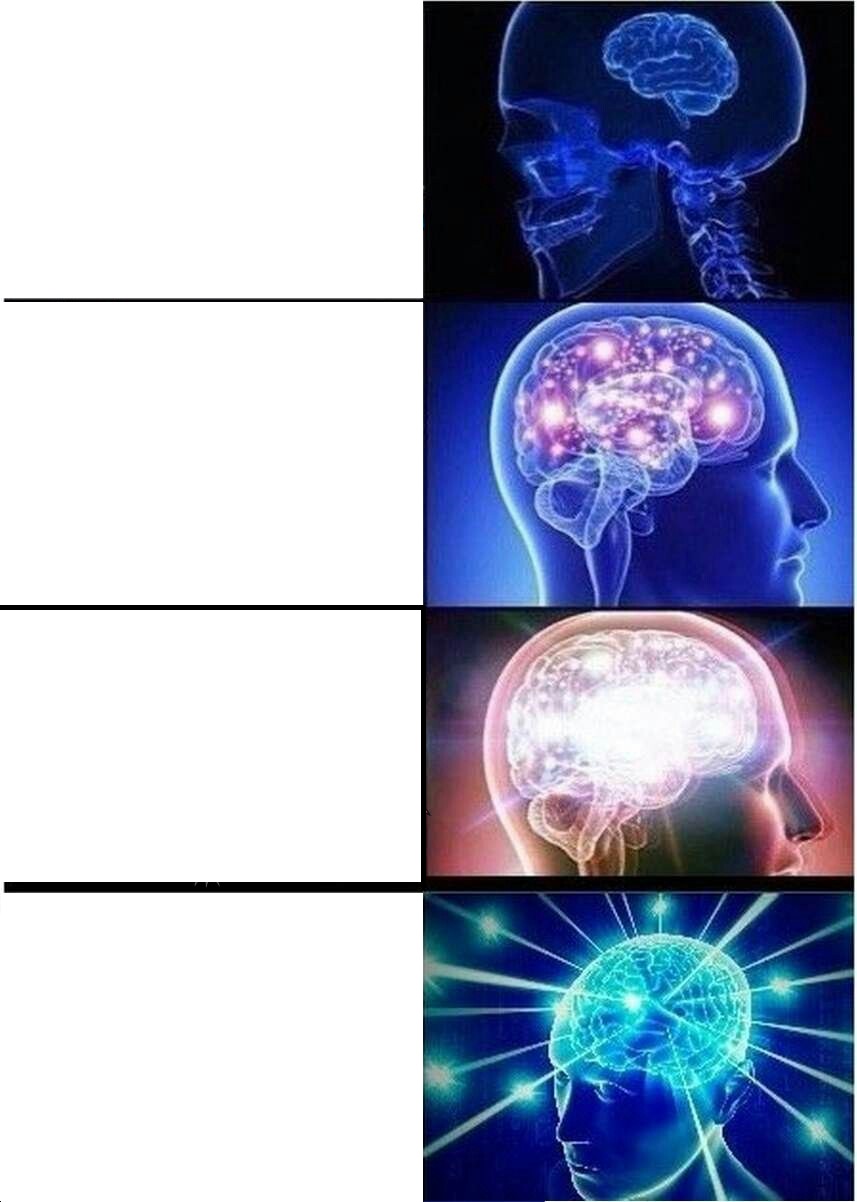
Expanding Brain is a multi-panel format that starts with a small brain and a sensible idea, then escalates panel by panel to an increasingly glowing, enormous brain paired with a progressively more unhinged take. It parodies the idea that galaxy-brained thinking is actually more enlightened.
Caption this template- Category
- Panel Meme Templates
- Size
- 857 x 1202 px
- Format
- Image
- Price
- Free, no sign up
Where the Expanding Brain meme comes from
The brain anatomy illustration paired with glowing overlays began circulating on Reddit in 2017. It instantly became a format for satirizing contrarian takes that sound deep but are actually absurd.
How to caption the Expanding Brain meme
Start with the normal, boring option and let each panel escalate into weirder or more chaotic territory. The final panel should be genuinely unhinged while still following some twisted logic from the first panel. Open it in the meme generator, or read the two-panel meme guide for more.
Expanding Brain caption ideas
Need a starting point? Try one of these on the Expanding Brain template, then make it your own in the meme generator.
- Setting one alarm / Setting five alarms / Setting alarms with motivational labels / Putting the phone across the room so you have to walk to it / Hiring a stranger to wake you up
- Writing a to-do list / Writing a to-do list app / Rewriting it in a new framework / Spending all week on the app, none on the tasks / Achieving inbox zero by deleting everything
- Saying you'll save money / Tracking every expense / Building a 12-tab budget spreadsheet / Color-coding the spreadsheet / Buying a course on how to budget instead of budgeting
- Replying to the text / Drafting the reply / Reading it aloud for tone / Sending it to a friend for approval / Never sending it and seeing them in person
- Going to the gym / Reading about the gym / Watching a 2-hour video about the gym / Buying the supplements / Becoming an expert who has never lifted a weight
Best uses for the Expanding Brain template
Use the Expanding Brain template when the joke fits a panel format and the image can explain the feeling before the reader finishes the caption. It is strongest for short sequences, escalating ideas, and two-step reveals.
This blank is 857 x 1202 px and is a still image, so place the most important words where they stay readable after a feed crop. The tall frame gives you room for a short setup near the top and a payoff below the main subject.
The sample captions are more detailed, so trim aggressively before posting on small screens. Before exporting, read the caption once without looking at the image; if it still needs a long explanation, switch to a simpler setup or a more obvious related template.
Caption patterns to try
| Pattern | Why it works |
|---|---|
| Setting one alarm / Setting five alarms / Setting alarms with motivational labels / Putting the phone across the room so you have to walk to it / Hiring a stranger to wake you up | This works because it gives the reader a specific situation instead of a vague label. |
| Writing a to-do list / Writing a to-do list app / Rewriting it in a new framework / Spending all week on the app, none on the tasks / Achieving inbox zero by deleting everything | This pattern keeps the setup concrete, which helps the template carry the reaction. |
| Saying you'll save money / Tracking every expense / Building a 12-tab budget spreadsheet / Color-coding the spreadsheet / Buying a course on how to budget instead of budgeting | This is a useful direction when you want the punchline to feel personal or self-aware. |
Common mistakes with this blank
- Writing a caption that explains the whole joke instead of letting the Expanding Brain image do part of the work.
- Placing text over the most expressive part of the image, especially faces, gestures, signs, or the main action.
- Using three different ideas in one meme. This template works better when it points at one clear situation.
- Exporting before checking the meme at phone size. If the smallest words blur together, shorten the caption first.