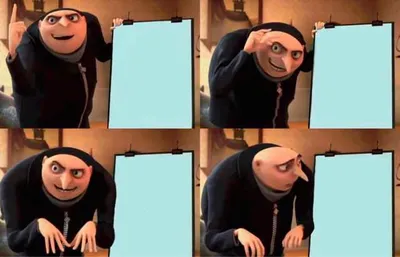
Caption the Lisa Simpson's Presentation Meme Template
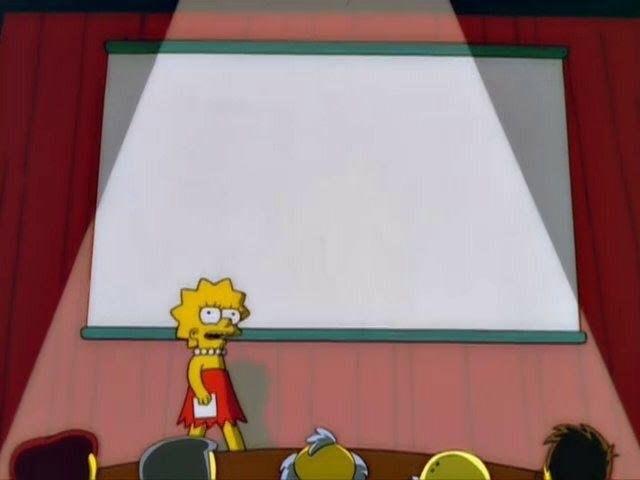
This Simpsons template shows Lisa Simpson standing at a presentation board, pointer in hand, confidently explaining a logical argument to a skeptical or confused audience. It is used to caption moments where someone presents an airtight case for an opinion that ranges from genuinely reasonable to completely absurd. The board functions as a label field for any argument.
Caption this template- Category
- Panel Meme Templates
- Size
- 640 x 480 px
- Format
- Image
- Price
- Free, no sign up
Where the Lisa Simpson's Presentation meme comes from
Drawn from The Simpsons, the long-running animated series created by Matt Groening that premiered on Fox in 1989, this image shows a classroom presentation scene that has been used as a meme since at least the mid-2010s, with the presentation board serving as a label field for any argument the creator wants to make.
How to caption the Lisa Simpson's Presentation meme
Write the argument or claim on the presentation board label and optionally add audience reactions below. The joke lands hardest when the argument sounds initially ridiculous but is logically airtight - Or vice versa. Open it in the meme generator, or read the two-panel meme guide for more.
Lisa Simpson's Presentation caption ideas
Need a starting point? Try one of these on the Lisa Simpson's Presentation template, then make it your own in the meme generator.
- Presentation board: 'A hot dog is a taco, and the bun proves it' / Audience: visibly upset
- Presentation board: 'Cereal is just cold soup, change my mind' / Audience: stunned silence
- Presentation board: 'We should start meetings 30 minutes late on purpose' / Audience: nodding nervously
- Presentation board: 'Replying-all should be a fireable offense' / Audience: slow clap
- Presentation board: 'Naps are a productivity tool and I have data' / Audience: confused but listening
Best uses for the Lisa Simpson's Presentation template
Use the Lisa Simpson's Presentation template when the joke fits a panel format and the image can explain the feeling before the reader finishes the caption. It is strongest for short sequences, escalating ideas, and two-step reveals.
This blank is 640 x 480 px and is a still image, so place the most important words where they stay readable after a feed crop. The wide frame works best when the caption stays centered so timeline crops do not cut off the joke.
The sample captions leave room for a setup and a punchline without turning into a paragraph. Before exporting, read the caption once without looking at the image; if it still needs a long explanation, switch to a simpler setup or a more obvious related template.
Caption patterns to try
| Pattern | Why it works |
|---|---|
| Presentation board: 'A hot dog is a taco, and the bun proves it' / Audience: visibly upset | This works because it gives the reader a specific situation instead of a vague label. |
| Presentation board: 'Cereal is just cold soup, change my mind' / Audience: stunned silence | This pattern keeps the setup concrete, which helps the template carry the reaction. |
| Presentation board: 'We should start meetings 30 minutes late on purpose' / Audience: nodding nervously | This is a useful direction when you want the punchline to feel personal or self-aware. |
Common mistakes with this blank
- Writing a caption that explains the whole joke instead of letting the Lisa Simpson's Presentation image do part of the work.
- Placing text over the most expressive part of the image, especially faces, gestures, signs, or the main action.
- Using three different ideas in one meme. This template works better when it points at one clear situation.
- Exporting before checking the meme at phone size. If the smallest words blur together, shorten the caption first.