
Creating a Quote Post That Works on Facebook
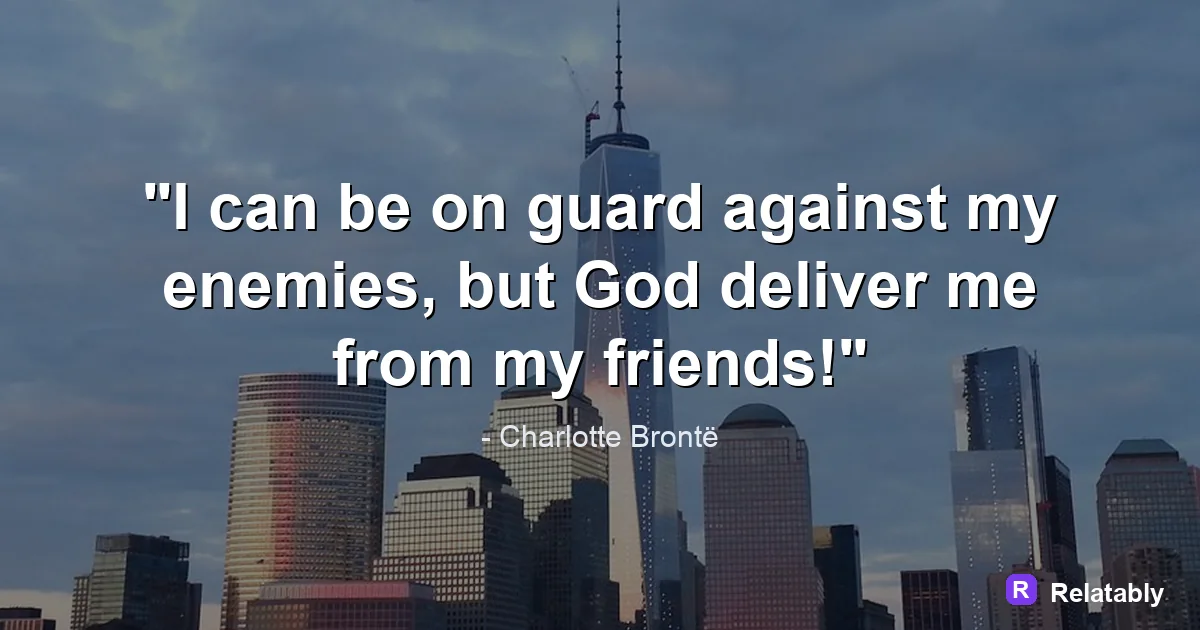
How to size and design a quote image that looks right in the Facebook feed.
On this page
To make a Facebook quote post, design a clear square or landscape image with a short, bold quote, then write a caption that invites comments. Pair the image with a question or a personal note so people stop scrolling and reply.
How Facebook quote posts get noticed
Facebook moves fast, and quote posts compete with photos, videos, and links. A quote stands out when it is short, bold, and easy to read at thumbnail size before anyone clicks.
The words matter most, but the caption does the heavy lifting. A caption that asks a question or shares a feeling pulls people into the comments, and comments help the post spread.
Facebook also leans on friends and family. People share quotes that say something they feel but cannot put into words. If your quote gives them that, they pass it along, and each share carries the post to a new circle of people.
Sizing the image for the news feed
Facebook shows images in the feed at a set width, so the wrong size can crop your words or shrink them. A square or a slight landscape shape usually displays cleanly on both phones and desktops.
Keep your important text away from the very edges. Facebook sometimes trims a sliver off the sides in the preview, and a safe margin makes sure none of your words get cut. The table lists shapes that work well and where each one fits best.
| Shape | Best for |
|---|---|
| Square | Feed posts on any device |
| Landscape | Wide, desktop friendly view |
| Portrait | Taller posts that fill phone screens |
Writing a caption that earns comments
The image grabs the eye, but the caption starts the conversation. Avoid leaving the caption blank. Instead, add a short line that gives readers a reason to respond.
Ask a question, share why the quote matters to you, or invite people to tag a friend. A reply is worth far more than a silent like on Facebook.
Keep the first line strong, since Facebook hides the rest behind a See More link. Lead with the hook so people get the point even if they never tap to read the full caption.
- Ask a simple yes or no question
- Share a one line story behind the quote
- Invite readers to tag someone who needs it
- Ask which line hits hardest
- Keep the caption short and easy to skim
Designing the quote so it pops in the feed
Contrast is everything in a crowded feed. Use bold text on a clean background so the words read clearly even when the image is small. Thin gray text on a busy photo gets lost.
Pick colors that match your page so the post feels like part of a set. A steady style helps followers recognize your posts at a glance.
- Use bold text with high contrast
- Keep the quote to one or two short lines
- Match colors to your page brand
- Leave space around the words
- Add your page name in small text
What boosts reach on a quote post
Different parts of a post pull different amounts of weight on Facebook. The image stops the scroll, but engagement from the caption is what tends to push reach higher.
The chart shows a rough split of what helps a quote post reach more people.
What lifts a Facebook quote post (impact share)
Building and posting your quote design
Once you know your shape and caption, design the image so the quote is the clear focus. Keep the layout simple and the text large enough to read on a phone.
You can build the image in the Quote Maker, export it as a square or landscape file, then upload it to Facebook with your caption. Post when your followers are most active for the best early response.
After it goes live, stick around for a few minutes and reply to early comments. Quick replies keep the thread moving, and an active comment section signals to Facebook that the post is worth showing to more people.
Facebook quote sizes and limits at a glance
Facebook shows different shapes depending on whether you post an image or share a link.
A shared link uses a wide 1.91:1 card, so a tall quote square gets cropped there. For an image post, the square shows in full. Keep important text away from the outer edges so nothing is trimmed on different screens.
| Placement | Value |
|---|---|
| Feed square | 1200 x 1200 pixels (1:1) |
| Shared link card | 1200 x 630 pixels (1.91:1) |
| Story | 1080 x 1920 pixels (9:16) |
| Caption limit | 63,206 characters |
| File types | JPG and PNG |
To go deeper, read make an instagram quote post, how to make a pinterest quote pin, making quote images, and make a quote image for x (twitter).
Facebook publishing checklist
Use this quick check before exporting so the design works in the place it will actually be posted.
| Decision | Recommendation |
|---|---|
| Recommended size | 1200 x 630 or 1080 x 1080 |
| Safe-zone check | Use readable text and pair the image with post copy that invites comments. |
| Export check | Preview the image at phone size and make sure the smallest text is still readable. |
- Keep the quote or meme text inside the safest central part of the canvas.
- Use PNG when text crispness matters most, or WebP when file size matters more.
- Write supporting post copy only after the image reads clearly on its own.