
Designing a Quote Post for Your Instagram Feed
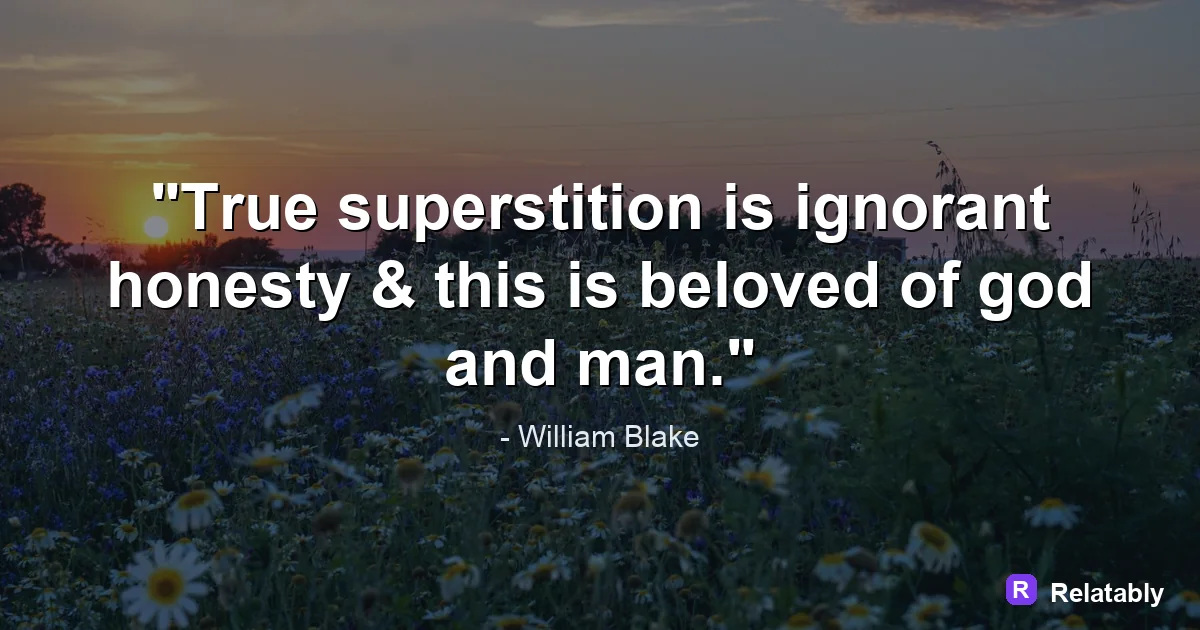
The quick way to turn a line into a square post that reads well in the Instagram feed.
On this page
Make an Instagram quote post as a 1080 by 1350 pixel portrait, since the 4:5 shape takes up the most space in the feed. Keep your words clear of the bottom caption and like row, then export a PNG and post.
Choose the 4:5 portrait that feed loves
Instagram lets you post square or portrait, but the 4:5 portrait at 1080 by 1350 pixels takes up more vertical space as people scroll. More space means more time on your quote.
Square at 1080 by 1080 still works and is safe for grids. If you want maximum reach in the feed, the taller 4:5 shape usually wins.
| Shape | Pixels | Best for |
|---|---|---|
| Portrait 4:5 | 1080 x 1350 | Feed reach |
| Square 1:1 | 1080 x 1080 | Tidy grid |
| Story 9:16 | 1080 x 1920 | Story reshare |
Keep text off the username and caption strip
Instagram crops a small slice on a portrait image in some views and stacks your username on top and the caption with the like and comment row below. Text crammed at the very edges can collide with these.
Leave a safe margin of about 90 pixels on every side. Center your quote so it stays clean no matter how the feed frames it.
Remember that your image shows up in three places: the feed, the grid on your profile, and possibly a story reshare. A centered quote with even margins survives all three crops, so you only have to design it once.
Design for the muted, fast feed scroll
Most people scroll Instagram without sound and at speed. Your quote must read in a single glance. Use high contrast, light text on a dark base or dark text on a light base, with no thin gray tones.
Pick one clear font for the quote and a smaller one for the credit. A loud, busy design loses the words you wanted people to read.
Color choices matter on Instagram too. The feed sits on a white background by default, so a quote with its own bold backdrop separates from the apps around it. A clear edge or a solid color frame helps your post feel like a deliberate piece rather than a stray screenshot.
- One bold quote font, one small credit font
- Strong contrast so it reads while scrolling
- Center the quote inside the safe margins
- Skip more than two colors of text
Make the post a carousel anchor
A single quote does well, but a carousel keeps people swiping. Use the quote as the first slide, then add slides that explain or expand it.
Carousels get extra views because Instagram can show the post again to people who did not swipe the first time. Your quote becomes the hook for the whole set.
Average swipe depth on a quote carousel (slides viewed)
Build and export the post fast
You can put this together in minutes. The Quote Maker has the 1080 by 1350 portrait size built in, so you type your quote, center it, and add a credit.
Pick a background that matches your feed look so the post fits your grid. Then export it as a high quality PNG for sharp text.
If you post quotes often, save your color and font choices and reuse them. A steady look across posts makes your profile grid feel like a brand, and people start to recognize your quotes before they even read the handle.
- Select the 4:5 portrait canvas
- Type the quote and center it
- Add a small credit line
- Choose an on brand background
- Export a PNG
Write a caption that earns saves
The image carries the quote, but the caption decides whether people save and share. Add a short note on why the quote matters, then ask a question to spark comments.
Saves and shares signal value to Instagram, which then shows your post to more people. A strong caption turns one quote into steady reach.
Keep the first line of the caption strong, since the feed cuts it off after a few words. Lead with the hook, then add detail below the fold. A few relevant tags at the end help the right people find the quote.
Instagram quote sizes and limits at a glance
These are the numbers that actually decide how your post looks in the Instagram feed.
A 4:5 portrait takes the most vertical space in the feed without getting cropped, so it is the strongest choice for a readable quote. On stories, keep your text out of the top 250 pixels and bottom 250 pixels, where the profile bar and reply box sit.
| Setting | Value |
|---|---|
| Best feed size | 1080 x 1350 pixels (4:5 portrait) |
| Square option | 1080 x 1080 pixels (1:1) |
| Story and reel cover | 1080 x 1920 pixels (9:16) |
| Feed ratios allowed | 1.91:1 wide up to 4:5 tall |
| Caption limit | 2,200 characters |
| Hashtags | Up to 30, but 3 to 5 reads cleaner |
| File types | JPG and PNG |
To go deeper, read how to make a pinterest quote pin, Facebook quote posts, make a quote image, and make a quote story image (instagram).
Instagram publishing checklist
Use this quick check before exporting so the design works in the place it will actually be posted.
| Decision | Recommendation |
|---|---|
| Recommended size | 1080 x 1080 or 1080 x 1350 |
| Safe-zone check | Keep key text away from the edges and make the first slide save-worthy. |
| Export check | Preview the image at phone size and make sure the smallest text is still readable. |
- Keep the quote or meme text inside the safest central part of the canvas.
- Use PNG when text crispness matters most, or WebP when file size matters more.
- Write supporting post copy only after the image reads clearly on its own.