
Choosing the Right Meme Template Format
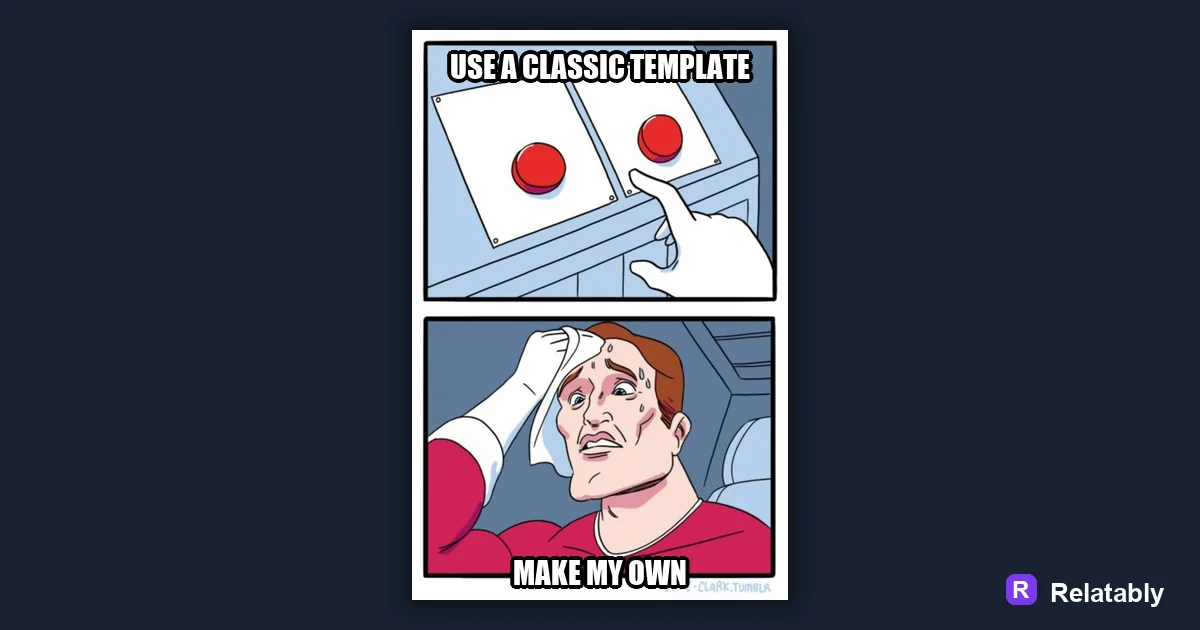
The meme formats worth knowing and the kind of joke each one fits.
On this page
A meme template is a reusable image format with a known joke shape, like a two panel comparison or a labeled reaction. Pick a template whose structure matches the joke you want to tell, then fill in your own words.
What a meme template actually is
A template is more than a picture. It is a shape for a joke that people already understand. When you see a familiar layout, your brain expects a certain kind of punchline, which means half the comedy is built in before you type a word.
This shared expectation is why templates spread. You are not explaining a new format every time. You are speaking a visual language your audience already reads. Because the format does part of the work, you can focus your energy on the words. A weak joke in a clear template still reads better than a strong joke in a layout people have never seen.
The main template families and what they do
Most templates fall into a few families. Each one carries a different kind of joke. Knowing the family helps you pick fast instead of scrolling endlessly for the perfect image.
| Template family | Best joke type |
|---|---|
| Two panel comparison | This versus that choices |
| Labeled reaction | How you feel about something |
| Top and bottom text | Setup then punchline |
| Multi panel sequence | A short story or escalation |
| Caption card | Pure text relatable thought |
Matching your joke to the right template
The mistake most people make is loving a template and forcing a joke onto it. Do the reverse. Decide what your joke is first, then choose the family that fits. A comparison joke needs two panels. A feeling needs a reaction face.
When the structure matches the joke, the meme reads instantly. When it does not, people pause and feel confused instead of amused. A quick way to check the fit is to describe your joke in one sentence. If the sentence sounds like a comparison, a feeling, or a tiny story, that description points you straight at the template family you need.
- Choosing between two things, use a comparison
- Showing a mood, use a reaction template
- Building to a twist, use top and bottom text
- Telling a tiny story, use a multi panel
- Sharing a plain thought, use a caption card
How often each template family gets used
Some formats appear far more than others because they fit so many jokes. The chart shows roughly how common each family is. Popular does not mean better, but it does mean your audience will read it without effort.
How often each template family appears
When to use a fresh image instead
A known template gives you instant recognition, but it can also feel overused. A fresh image feels original yet asks more from the viewer, since you have to set up the joke yourself. The right call depends on whether you want speed or surprise.
For a quick relatable laugh, lean on a known format. For a joke that needs to feel new, a fresh photo with a clear caption can stand out more. Many creators mix both over time. They post familiar templates to stay readable and toss in the occasional fresh image to keep their feed from feeling repetitive. The balance depends on your audience and how often you post.
Filling in a template without breaking it
Once you pick a family, keep the structure clean. Put labels where people expect them, keep text readable, and do not crowd the image. The Meme Generator has the common layouts ready, so you can drop your words into the right slots and keep the format intact.
Respect the shape and the joke does the work. Fight the shape and even a great line can feel awkward. Keep contrast high so the text reads against the image, and leave a little space around each label so nothing feels cramped. A clean fill lets people focus on the punchline instead of squinting at crowded words.
When you reuse a template often, your audience starts to know your style. That familiarity is a quiet advantage. People recognize your format in a crowded feed and stop to read because they already trust the kind of joke you tend to make.
To go deeper, read how to make a top and bottom text meme, make a caption card meme, making a meme, and make a two panel meme.
Best template direction for this meme
Start with classic formats when you need recognition before originality.
| Decision | Recommendation |
|---|---|
| Start with | Classic |
| Caption length | One short setup line, plus a payoff only if the format needs it. |
| Editor move | Open a blank template, add text boxes, then drag captions away from faces and key details. |
- Browse the template category before writing the final caption.
- Test one literal caption and one exaggerated caption; keep the faster one.
- Export and check the meme at phone size before posting.