
Making a Meme in Under a Minute
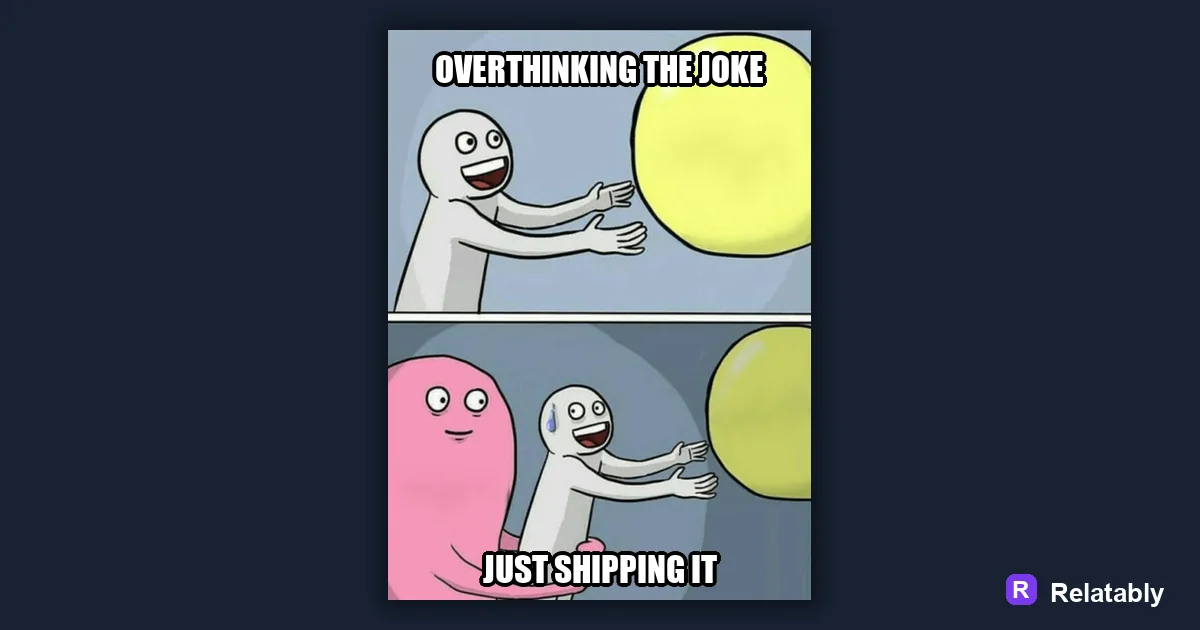
The fastest path from idea to posted meme.
On this page
To make a meme fast, start from a template you already know, write one short caption, and skip the polishing. Speed comes from fewer choices, not from rushing the joke.
Why slow memes usually die before posting
Most memes that never get posted die in the editing stage. People keep tweaking fonts, colors, and crops until the moment passes. Speed protects the joke from second guessing, and it keeps a funny idea from going stale in your drafts folder.
A meme is built on timing. The faster you post a reaction to a fresh moment, the better it lands. Done beats perfect when the trend is moving.
There is also a confidence cost to going slow. The longer you stare at a joke, the less funny it feels to you, even when it is fine. Posting quickly protects you from talking yourself out of a meme that would have worked.
Starting from a template you already recognize
The fastest path is a template your audience already knows. You skip teaching them the format and go straight to the joke. Familiar layouts cut your decisions down to just the caption.
It also helps to keep a small set of go to templates ready. When you only choose from three or four formats you trust, you stop wasting time browsing. The decision becomes which of these, not which of everything, and that alone saves a minute every time.
- A reaction face you have seen everywhere
- A plain top and bottom text frame
- A two panel before and after
- A simple caption over a single photo
Writing one caption instead of five
Speed dies when you try three jokes at once. Pick the first caption that made you smile and commit to it. You can always make a second meme later. If two captions feel equally good, pick one and save the other as a note, so you have a head start on your next meme instead of a delay on this one.
Set a quick rule for yourself, like one caption and one image, no rewrites past sixty seconds. A tight limit forces you to trust your first instinct. Limits sound restrictive, but they actually free you, because you stop weighing endless options and just make the thing.
Trust the version that made you laugh first. That gut reaction is usually closer to how your audience will react than any line you grind out afterward. The fast caption and the funny caption are often the same caption, so go with it and move on.
What to skip when the clock matters
Most polish steps add minutes without adding laughs. Cutting them is how a meme goes from idea to post in under two minutes. The table below sorts the steps so you know exactly where to spend your seconds.
Notice that the steps worth keeping all protect whether the meme can be read and seen. The steps worth skipping are about taste and detail that scrolling viewers never notice. That is the line: keep what affects reading, drop what only affects polish.
| Step | Keep or skip | Why |
|---|---|---|
| Bold readable font | Keep | People must read it fast |
| Custom color tweaks | Skip | Adds time, not jokes |
| Perfect crop | Skip | Good enough reads fine |
| Correct post size | Keep | Wrong size kills reach |
How each step adds to your total time
When you map where the seconds go, the slow parts jump out. Most of your time should sit in choosing the image and writing the caption, not in fiddling with style.
Seconds spent on a fast meme
A two minute workflow that holds up
Open the Relatably Meme Generator, pick a known template, type one caption, and export at the right size. That is the whole loop, and it should take under two minutes once you practice it.
Build a small habit around it. The more reps you do, the faster your hands move and the less you overthink each meme. After a week of quick memes, the steps blur into one smooth motion.
Speed also frees you to make more memes overall. When each one takes two minutes instead of twenty, you can react to several moments in a single sitting. A faster loop does not just save time, it lets you show up more often where your audience already is.
To go deeper, read best meme fonts, how to write meme captions, how to make a meme, and common meme mistakes.
Turn the idea into a finished meme
Use the template library as a creative constraint: pick the format first, then write the caption to fit that format.
| Decision | Recommendation |
|---|---|
| Template choice | Reaction, comparison, panel, classic, or blank utility |
| Caption test | Can someone understand the setup in under two seconds? |
| Final check | Does the image still work if the caption is read on a small screen? |
- Use a recognizable blank when speed matters.
- Use your own photo when the specific moment is more important than the format.
- Cut any caption word that explains what the image already shows.